


TL;DR
The free and cheap Framer alternatives we found on Reddit, in r/framer and r/nocode. ManyPI Sites is first, an AI Agent that builds the site on a free-layout canvas, free to build and live from $15 a site a month. Google Sites, Notion, Canva and AI-written code follow.
Build a site freePeople pick Framer for its canvas and start looking around when the sites multiply. As listed in November 2026, Framer's free plan runs on a Framer domain, and your own domain starts with the Basic plan at $10 a month billed yearly, per site. For a designer with side projects or a founder testing ideas, that's a bill per experiment. These are the free and cheap Framer alternatives we found on Reddit, in r/framer and r/nocode, ranked for people who want a canvas without paying for every draft.
The quick list
# | Option | Best for | Cost | Watch out for |
|---|---|---|---|---|
1 | A free-layout canvas where an AI Agent builds the first draft | Free to build and preview; live from $15 a site a month | Publishing needs a site plan | |
2 | Google Sites | A free site with almost nothing to learn | Free with a Google account | Themes and a grid, no free layout |
3 | Notion Sites | Publishing pages you already write in Notion | Free on notion.site; your own domain is a paid add-on | Pages read like documents |
4 | Canva Websites | Designers who already live in Canva | Free on my.canva.site, up to five sites | The Canva footer stays on the free plan |
5 | AI-written code on GitHub Pages or Cloudflare Pages | Total control for the price of a domain | Free hosting | Every edit is a code change |
1. ManyPI Sites
ManyPI Sites works the way Framer users expect: a free-layout canvas, desktop, tablet and phone designed separately, components, effects and shared styles. The difference is the first draft. You describe the site, and the site Agent lays out the pages and the theme, then adds a CMS collection or a second language when you ask. It pulls matching stock photos into the site's media, so you start from a page that looks finished rather than grey boxes.
Redoing an old site? Paste its domain and the Agent reads up to 40 pages, taking the logo, photos, address and opening hours with it into the new version.
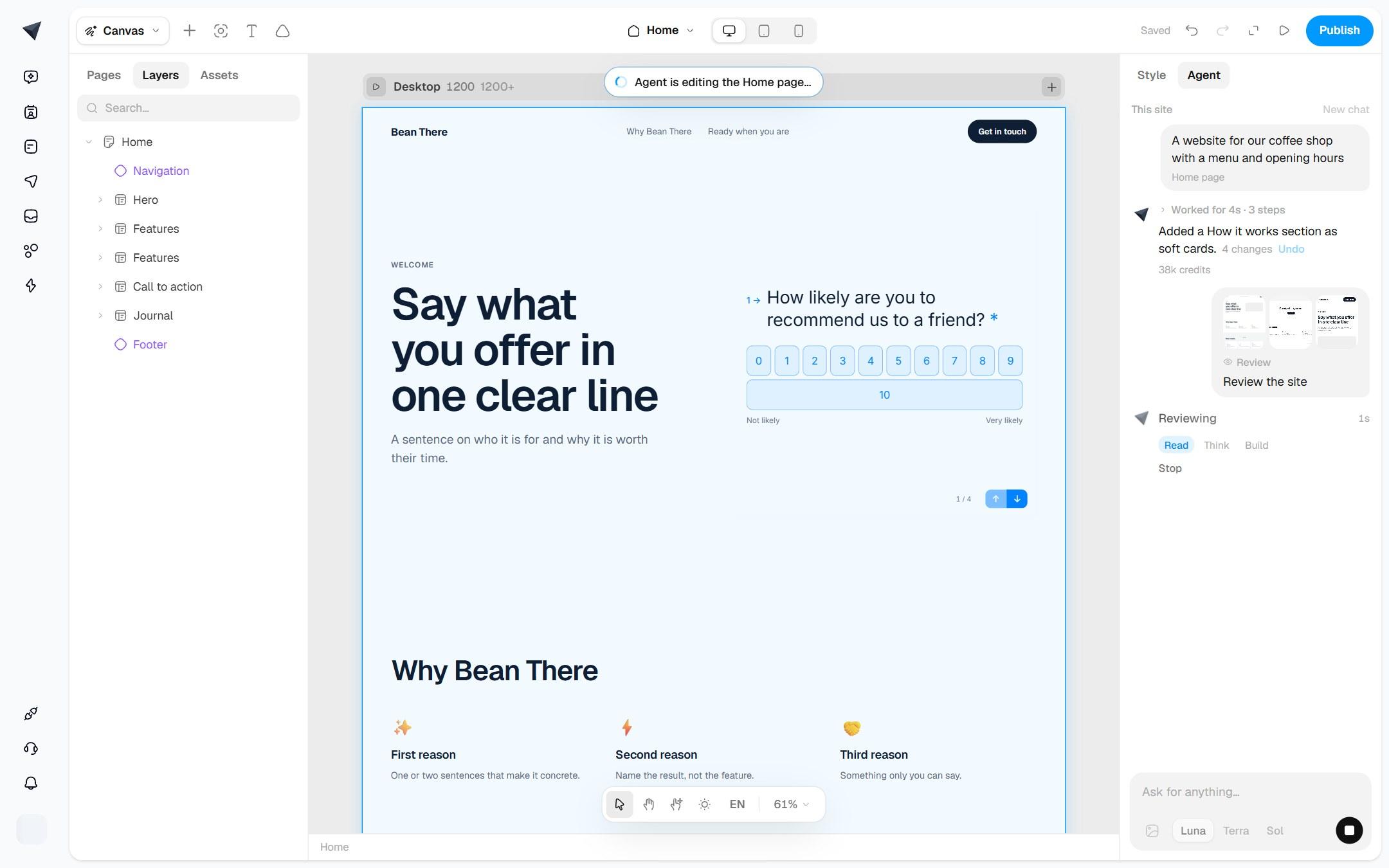
The ManyPI Sites Agent building a coffee shop's home page from one sentence, with the layers on the left. Sample content.
Building and previewing is free, with no card. A site goes live on its own plan: Basic costs $15 a month, or $150 a year, for 25,000 visits a month and up to 30 pages. That covers your domain with and without www, and a live site on a site plan shows no ManyPI badge. The Starter plan, $25 a seat a month, includes one site at Basic. Before launch, a preview link with a six-digit code lets a client or co-founder see the draft. Start with a free account.
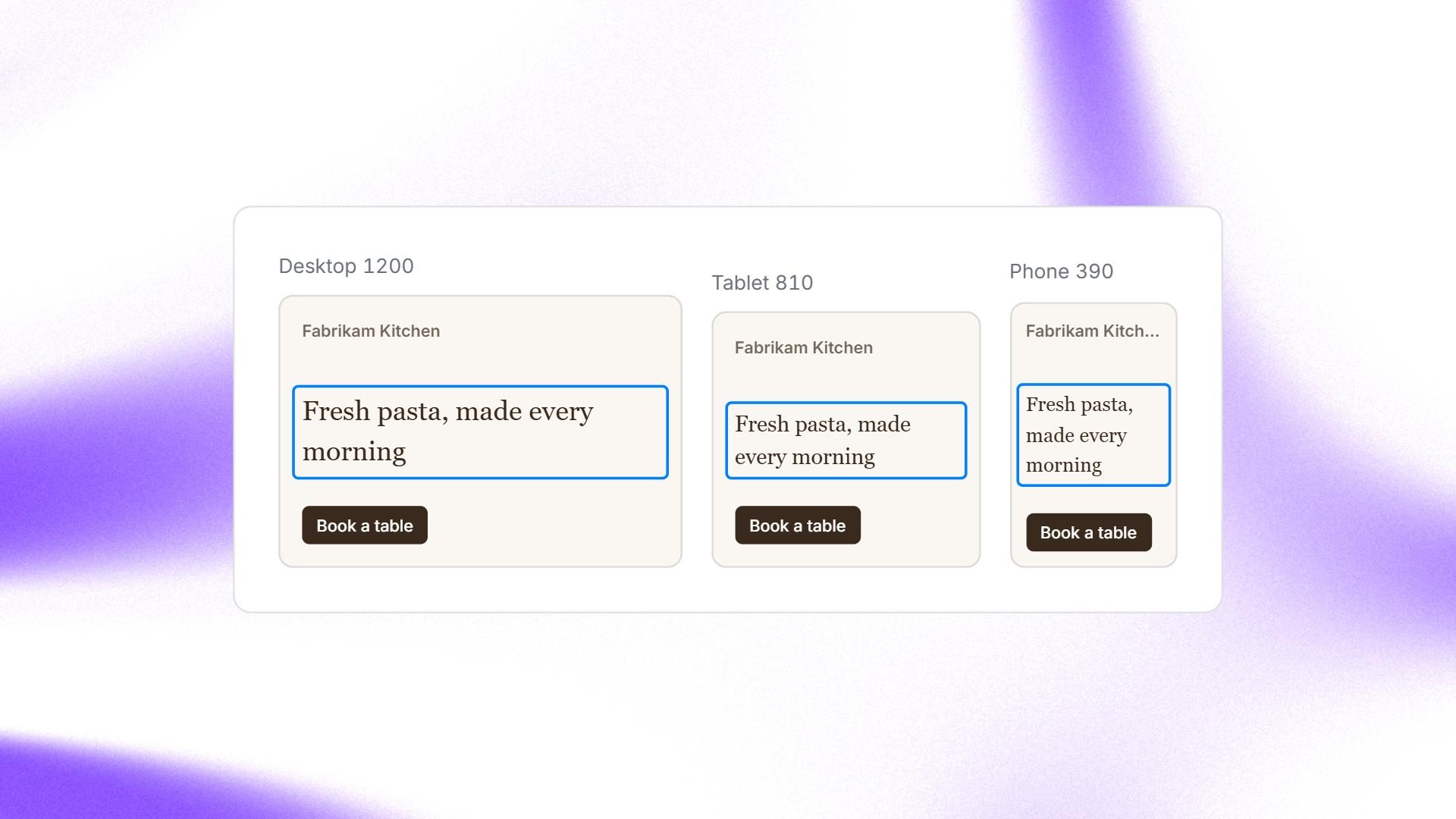
One page of a restaurant site drawn at desktop, tablet and phone widths side by side in ManyPI Sites.
2. Google Sites
Google Sites is free with a Google account. You drop sections into a theme and publish to a Google address. To use a domain you already own, open Settings, then Custom domains.
It suits a club page or an internal handbook. Layout is themes and a grid, so a portfolio built here will look like a Google Site, which is the opposite of why people use Framer.
3. Notion Sites
If you already draft in Notion, publishing a page as a site takes a few clicks from the Share menu, and edits go live as you type. Notion's Sites pricing page puts free sites on a notion.site address. Your own domain needs a paid plan plus a custom domain add-on, about $10 a month per domain, or $8 billed yearly.
The layouts are Notion's blocks, so the site reads like a tidy document. That's fine for a changelog or a job board, and weak for a launch page where the design has to sell.
4. Canva Websites
Canva's help pages on publishing websites for free say Free users can publish up to five sites on my.canva.site, with a "Designed with Canva" footer that can't be removed on that plan. Custom domains need Canva Pro or Teams.
For a single scrolling page, design freedom is high and the learning curve is close to zero if you already make social posts there. Check how visitors get in touch before you share the link, because a good-looking page that collects nothing is a poster.
5. AI-written code on GitHub Pages or Cloudflare Pages
Ask an AI chat for a static site in HTML and CSS, put the files in a repository and host them free. GitHub Pages allows custom domains and sites up to 1 GB, with a soft limit of 10 builds an hour. Cloudflare Pages gives the Free plan 500 builds a month and up to 100 custom domains per project.
You pay for the domain and nothing else. The catch is that every change, even a typo, is a code change, and a contact form needs a separate service, because static files can't store submissions.
What free really costs
The price on the plan page is rarely the price you end up paying. Four things decide it:
Your own domain. Most free tiers keep you on their address. A domain you can use usually means a paid plan, except on static hosting and Google Sites.
The badge or footer. Some free plans keep it for good. Know which before you print the link on a business card.
Where form answers go. A ManyPI site on Basic takes 10 live forms and 2,000 responses a month, and every response becomes a lead in a list you choose. Static hosting has nothing built in.
Your evenings. A free tool you fight every time you change a headline costs hours you could bill.
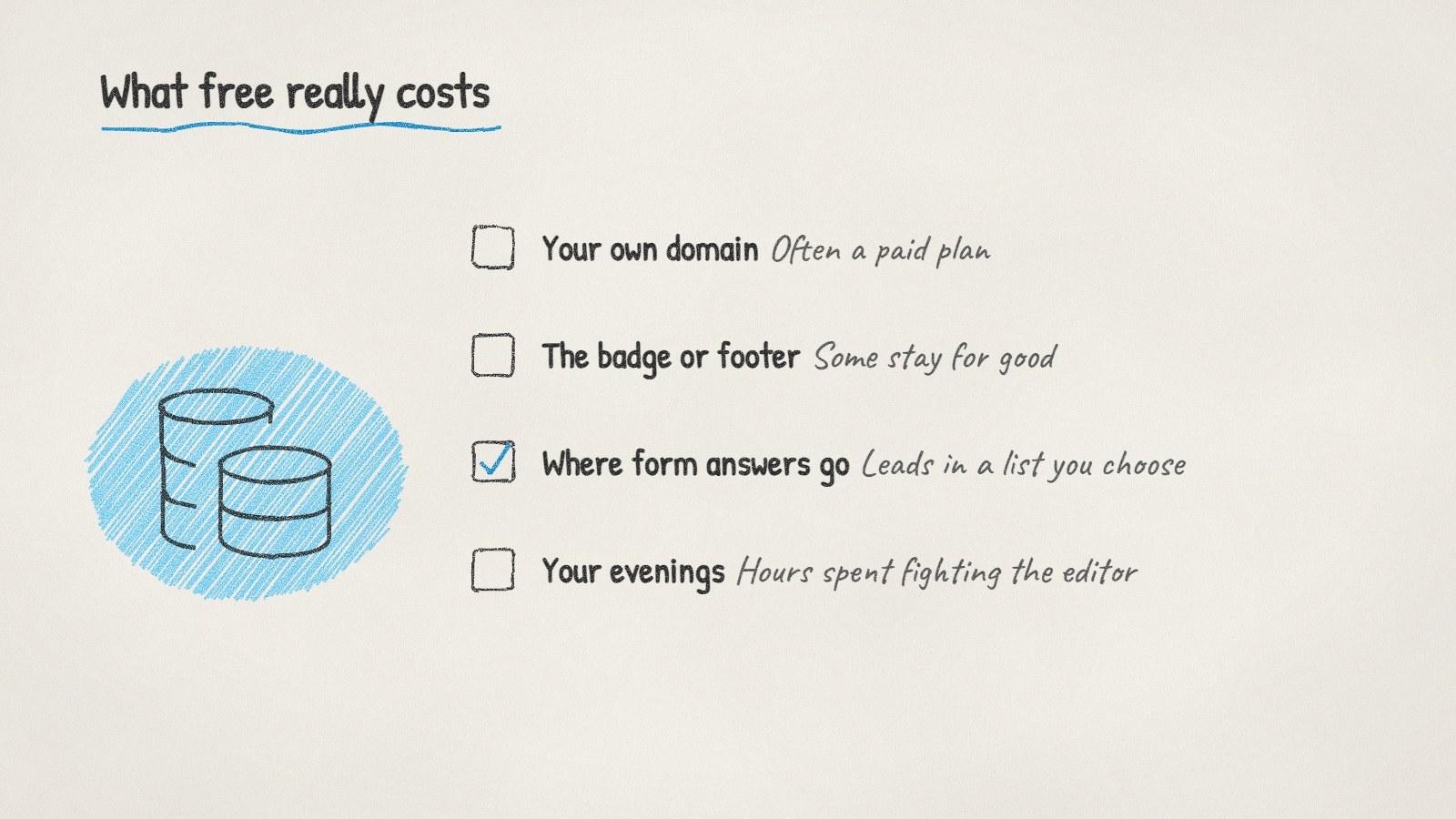
Four costs hiding behind a free website plan.
Where to read more on Reddit
Subreddit | What it's about | What to search there |
|---|---|---|
r/framer | Framer users sharing sites and asking for help | free plan, custom domain, alternative |
r/nocode | Building sites and tools without code | Framer alternative, free website builder |
Count your sites before you choose. One portfolio can live almost anywhere, but if you'll launch a page a month, the per-site price matters more than the editor.
Written by
Bastian W.
Content Manager / ManyPI