


TL;DR
Free sources give you business names by zip code but rarely emails. Check Census counts so you know how many to expect, pull names from map data, find a contact on each website, and verify every email before you send.
Find businesses in any areaA list of businesses in one zip code sounds like it should be a download. It mostly isn't. Free sources stop at names and addresses. Paid vendors add some contacts of unknown age, and almost nobody hands you a verified email for the owner of the bakery on the corner.
You can still build a good list in an afternoon. The trick is combining sources for what each does well.
The options at a glance
Source | What you get | Emails? | Cost |
|---|---|---|---|
Census ZIP Code Business Patterns | Counts of businesses by industry per zip code, no names | No | Free |
State business registries | Registered companies, often with a registered agent's address | Rarely | Free |
Google Maps, searched by hand | Names, phone numbers, websites, reviews | Only via their websites | Free, slow |
OpenStreetMap | Names, kind of business, address, sometimes phone and website | Rarely | Free, open licence |
Paid list vendors | Names, addresses, some contacts | Sometimes, age unknown | Per record |
Lead tools that research each business | Businesses plus a checked email where one exists | Yes | Subscription |
Most people jump straight to the last two rows. Start with the first one instead.
Start with counts, so you know what complete looks like
The US Census Bureau publishes ZIP Code Business Patterns, part of its County Business Patterns series. It tells you how many establishments of each industry (by NAICS code) exist in a zip code. It doesn't name them.
That count is your completeness check. If the Census says a zip code has around 40 dental offices and your list has 15, you're missing most of the market, and it's better to know that before you plan a campaign around it. Two caveats: the figures cover businesses with paid employees only, so one-person businesses aren't counted, and the data runs well behind the current year.
Zip codes aren't really areas
This trips people up. A US zip code is a set of mail delivery routes, not a neat shape on a map. The Census works around this with ZIP Code Tabulation Areas, which approximate zip codes as areas, but the edges never match perfectly.
In practice, it's easier to think about the area you actually serve. If you're a commercial cleaner, an accountant or an agency, your territory is "within 20 minutes of the office", not "zip code 80202". Drawing that area on a map and taking every business inside it gives you a cleaner list than stitching zip codes together.
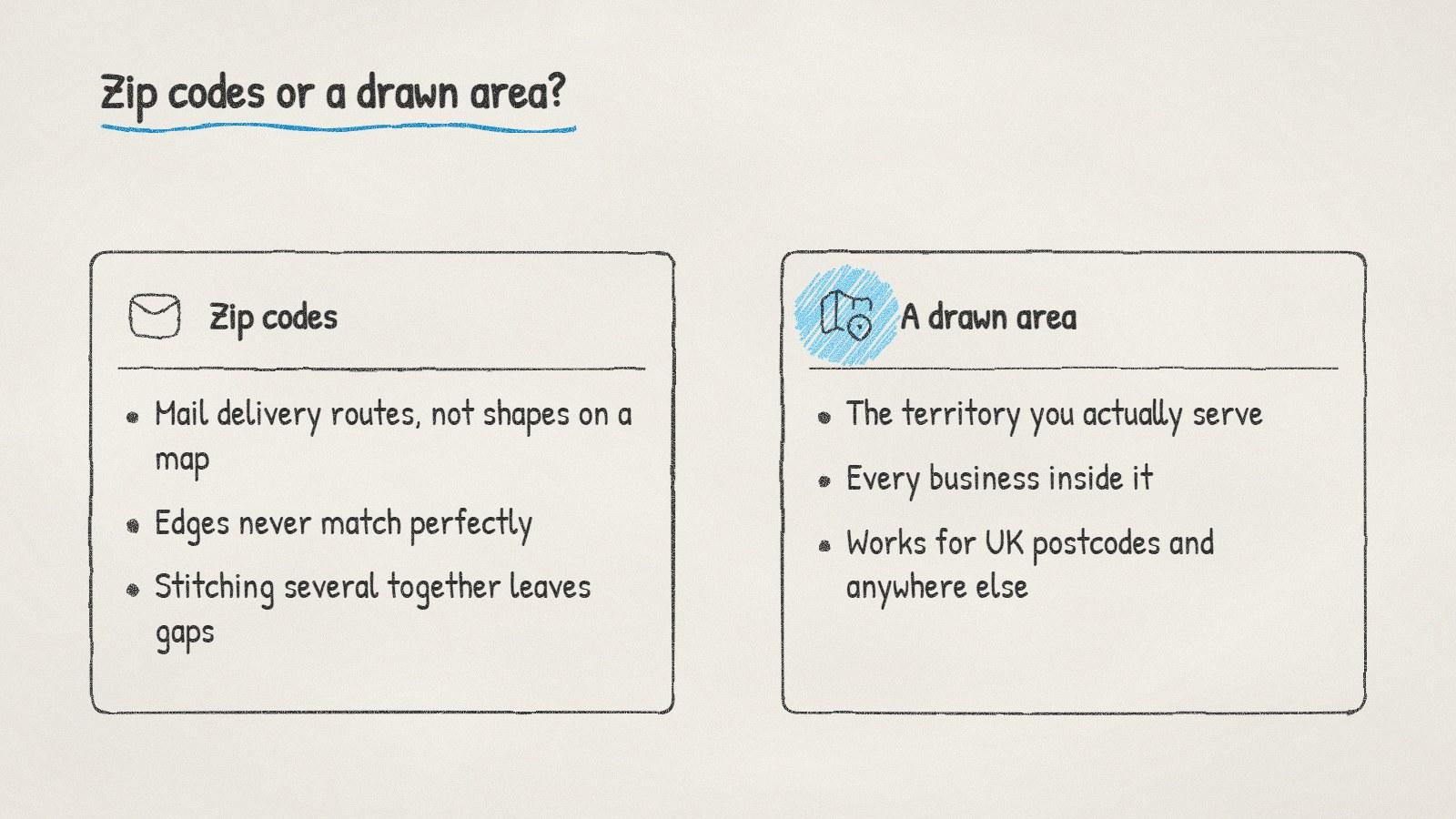
Why drawing your service area gives a cleaner list than stitching zip codes together.
Getting from names to emails
Once you have names, the email search goes in this order:
The business's own website. Contact pages, footers and "about us" pages. Small businesses often publish one address, and the owner usually reads it.
The owner's name. "About us" pages, local news and review replies on Google often name the owner. With a name and a domain, you can find or construct a likely address.
Verification. Constructed and scraped addresses both go stale, so check every address against the receiving mail server before you send. Our free email verifier covers a few at a time.
Expect a share of small businesses to have no findable email at all. Keep their phone numbers. For many local businesses, a call gets a faster answer anyway.
Clean the list before you use it
Raw lists from any source need the same tidy-up:
Merge duplicates. The same business often appears twice with slightly different names or addresses.
Separate chains from independents. A franchise branch rarely makes its own buying decisions.
Remove closed businesses. No recent reviews and a dead website are good hints.
Remove existing customers and anyone who has opted out. Our suppression list checker does this from a CSV.
Tag each row by kind of business, so each email can speak to that kind.
The free lead list cleaner handles the formatting and duplicates if you're working in spreadsheets.
Doing it in ManyPI with Map Search
Disclosure: ManyPI is our product.
Map Search works the way the "areas, not zip codes" section suggests. Search for the town or zip code, draw around the area you want, and you get every business inside it with its kind, address, and phone, website and email where they're listed. Filter to the kinds you sell to, or to businesses that have a website (somewhere an email can be found), then save them to a lead list.
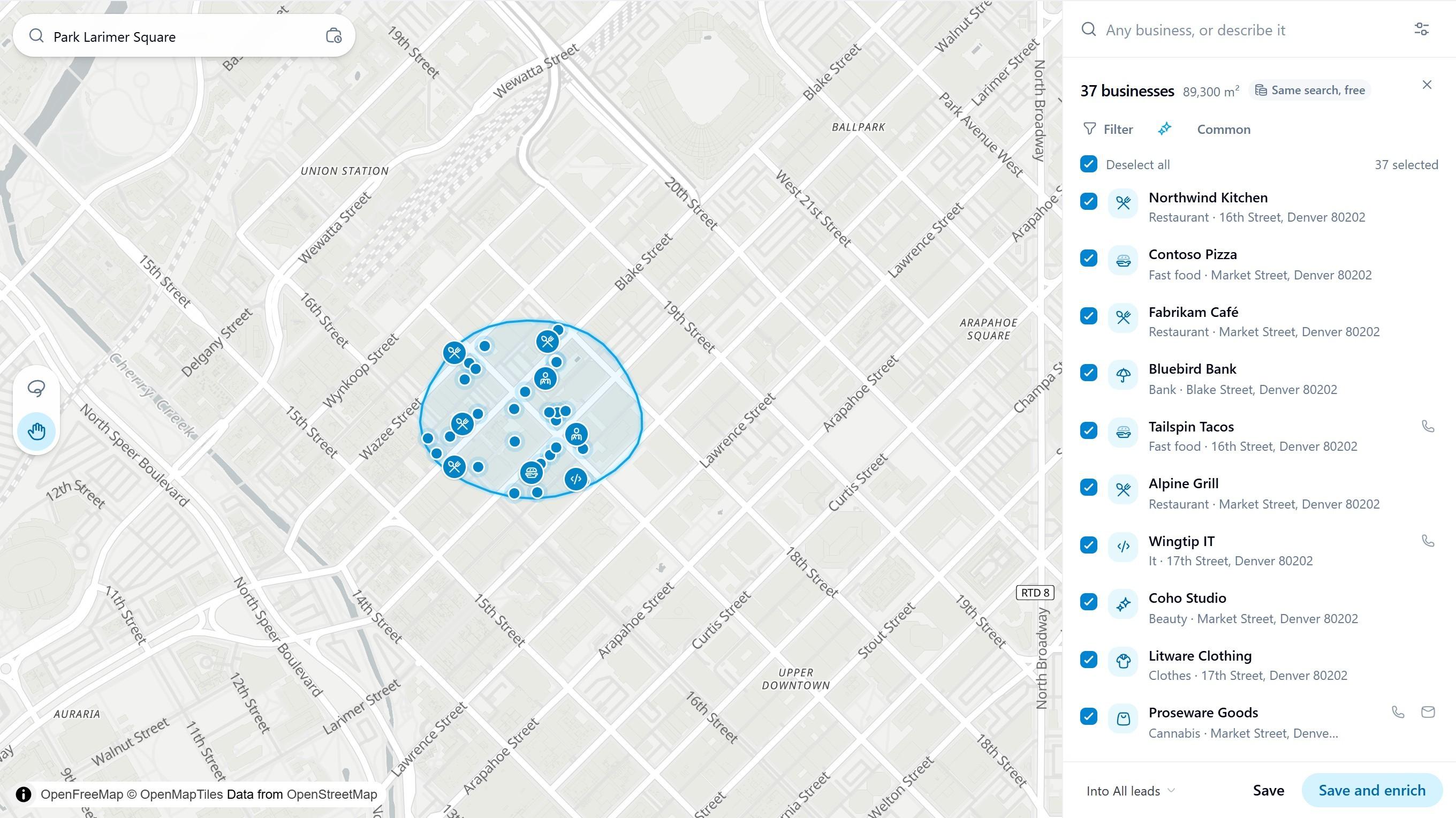
A few blocks of downtown Denver drawn in ManyPI's Map Search, with every business inside listed. Business names are sample data.
Save and enrich then looks for each business's owner or manager and their email, and every address is checked before a campaign can use it. It works outside the US too, for postcodes in the UK or anywhere else, because it's based on the map rather than on US zip code tables. The business data comes from OpenStreetMap contributors.
The local business leads page covers the rest of the workflow, including sending sequences from your own inbox. If your plan is to email the list, read up on the rules first: in the UK, sole traders count as individuals for email marketing, and in the US, CAN-SPAM requires an opt-out and a postal address in every message.
Before you build anything, look up the Census count for your industry in your main zip code, then pull the same area from a map. The gap between those two numbers tells you how much work the rest of the list will be.
Written by
Ole Mai
Founder / ManyPI