


TL;DR
When r/LeadGeneration and other Reddit communities ask how to automate lead generation, five setups keep coming up. ManyPI is first on our list because one agent finds the leads and emails them. Zapier with Google Sheets, Google Alerts, job board alerts and a virtual assistant follow.
Automate your lead findingBuilding a lead list by hand every week is the job everyone wants to automate. Reddit threads on the subject keep coming back to five setups, from a tool that runs the whole thing to a patchwork of alerts and spreadsheets. They automate different parts of the job, so it's worth knowing which part you're actually trying to hand off. ManyPI is first because it covers finding and sending in one place. These are the setups we found on Reddit, mostly in r/automation and r/LeadGeneration.
The quick list
# | Setup | What it automates | Cost | Watch out for |
|---|---|---|---|---|
1 | Finding leads, checking emails, sending and follow-ups | Free plan, then from $25 a seat a month | Scheduled workflows start on Pro | |
2 | Zapier with Google Sheets | Moving data between apps | Free plan available, paid for more tasks | You still need a source of leads |
3 | Google Alerts | Spotting news about companies or topics | Free | Noisy, and no contacts |
4 | Job board alerts | Spotting companies hiring for a role | Free | Signals only, no contacts |
5 | A virtual assistant | Research and list building by hand | Hourly rates | Slow, and quality varies |
1. ManyPI
The part most people want to automate is the boring middle: finding the right person at each company that fits, with a working email. ManyPI's agent does that from one sentence, like "logistics companies in the Netherlands with 50 to 250 staff that are hiring a fleet manager". It searches a 600M+ database and the live web, then verifies every email against the receiving mail server.
From there the leads go straight into a campaign that sends from your own inbox, with follow-ups that stop when someone replies. You can save the search as a workflow and run it again whenever you want fresh leads. On Pro and Business, workflows can run on a schedule or from a webhook, so a new batch of leads arrives without you asking.
The free plan includes 50 leads and 50 email checks a month with no card. Starter is $25 a seat a month, and Pro is $50. The workflows page shows how a saved search runs again.
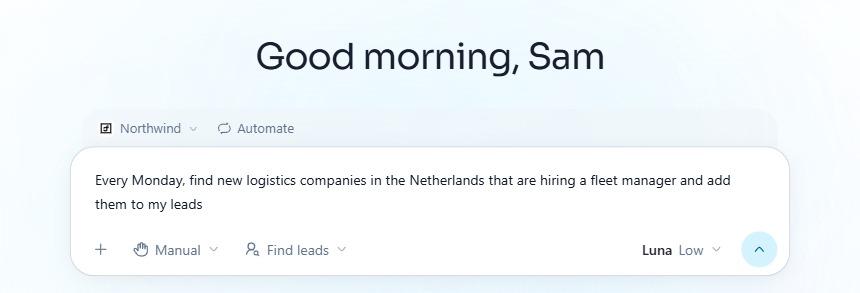
A weekly lead search set up in the ManyPI agent.
2. Zapier with Google Sheets
The classic DIY setup on Reddit. A form submission or a new row in a sheet triggers a chain of actions, like adding the lead to a sheet and posting it in Slack. Zapier connects thousands of apps, so you can build almost any flow.
It moves leads around. It doesn't find them. You still need a source of companies and checked emails, and complex flows get expensive as task counts grow. It's the glue between tools, not a lead generator.
3. Google Alerts
Google Alerts emails you when new pages mention a phrase. Set alerts for your competitors' names, for "opens new office" plus your industry, or for "raises seed round" plus your market, and you get a stream of companies that just changed.
It's noisy. Many alerts are irrelevant, and you still have to find the right person and their email yourself. Useful as an early signal, not as a list.

Google Alerts, where you set up an email alert for any phrase.
4. Job board alerts
Most job boards let you save a search and get new postings by email. A company hiring for a role your product supports, or replaces, is often a company with a budget and a problem right now.
Like Google Alerts, it gives you the signal and not the contact. Our free hiring signal finder groups live job posts by company with the person to contact, and our guide to finding companies that are hiring covers the method.
5. A virtual assistant
Some teams on Reddit automate by delegating: a virtual assistant researches companies and fills in a spreadsheet of contacts. It's flexible and handles judgement calls a rule can't.
It's also slow and hard to scale, and quality depends on the person and your instructions. Many teams that start with an assistant end up giving them a tool, so the assistant reviews and handles replies instead of copying data.
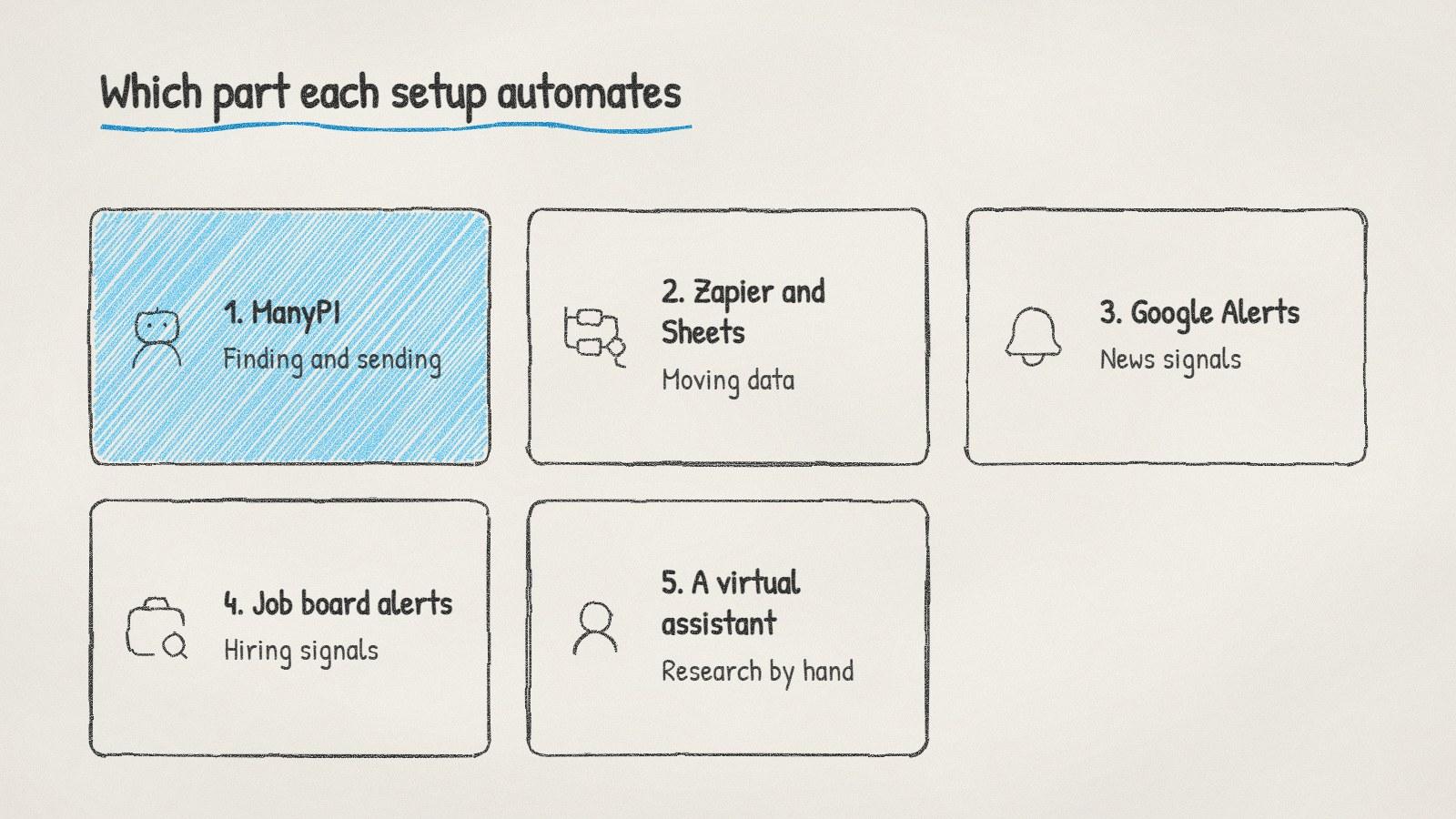
Five ways to automate lead generation, and which part of the job each one covers.
What to automate first
Lead generation has four parts: finding companies, finding people, checking emails and sending. Automate the one that takes you longest.
Finding is slow? Use a tool that searches from a description.
Bounces are high? Automate verification before anything else.
Follow-ups slip? Put sending into a sequence that stops on reply.
Timing is off? Add signals like hiring or funding alerts.
Keep a person on the last step. Automation can find leads and draft emails, but someone should read the first batch of emails before they go out, and every reply that needs judgement. That's what keeps an automated system from sending 500 confident emails about the wrong thing.
Written by
Bastian W.
Content Manager / ManyPI