


TL;DR
The Webflow CMS alternatives we found on Reddit, in r/webflow and r/Wordpress, for a blog or listings on a budget. ManyPI Sites is first, with CMS collections edited like a spreadsheet, live from $15 a site a month. WordPress, Notion, Jekyll on GitHub Pages and Google Sites follow.
Start a site with a CMSMost people who search for a Webflow CMS alternative need one of two things: a blog, or a set of pages that share a layout, like listings or team members. As listed in November 2026, Webflow's free Starter plan has a limited CMS on a webflow.io address, and your own domain needs a paid site plan. These are the Webflow CMS alternatives we found on Reddit, in r/webflow and r/Wordpress, judged on what a CMS has to do: collections with your own fields, a page per item, drafts, and enough items for the next two years.
The quick list
# | Option | Best for | Cost | Watch out for |
|---|---|---|---|---|
1 | A designed site with a blog or listings, edited visually | Free to build and preview; live from $15 a site a month | 250 items on Basic, 1,000 on Plus | |
2 | Self-hosted WordPress | Publishing several times a week, with plugins for everything | Free software; hosting and a domain cost extra | Maintenance is yours |
3 | Notion with Notion Sites | Teams that already write in a Notion database | Free on notion.site; own domain is a paid add-on | Layout is Notion's |
4 | Jekyll on GitHub Pages | A Markdown blog for people comfortable with Git | Free hosting | No visual editor |
5 | Google Sites | A short news page on a small site | Free with a Google account | Every post is a page you lay out by hand |
1. ManyPI Sites
In ManyPI Sites, a CMS collection is a table you define: blog posts, dishes, team members, jobs or listings, each with your own fields. You edit the items like a spreadsheet, and every item gets its own page built from one layout, at an address like /menu/tiramisu. Items stay drafts until you set them live, and the sitemap lists every item on its own.
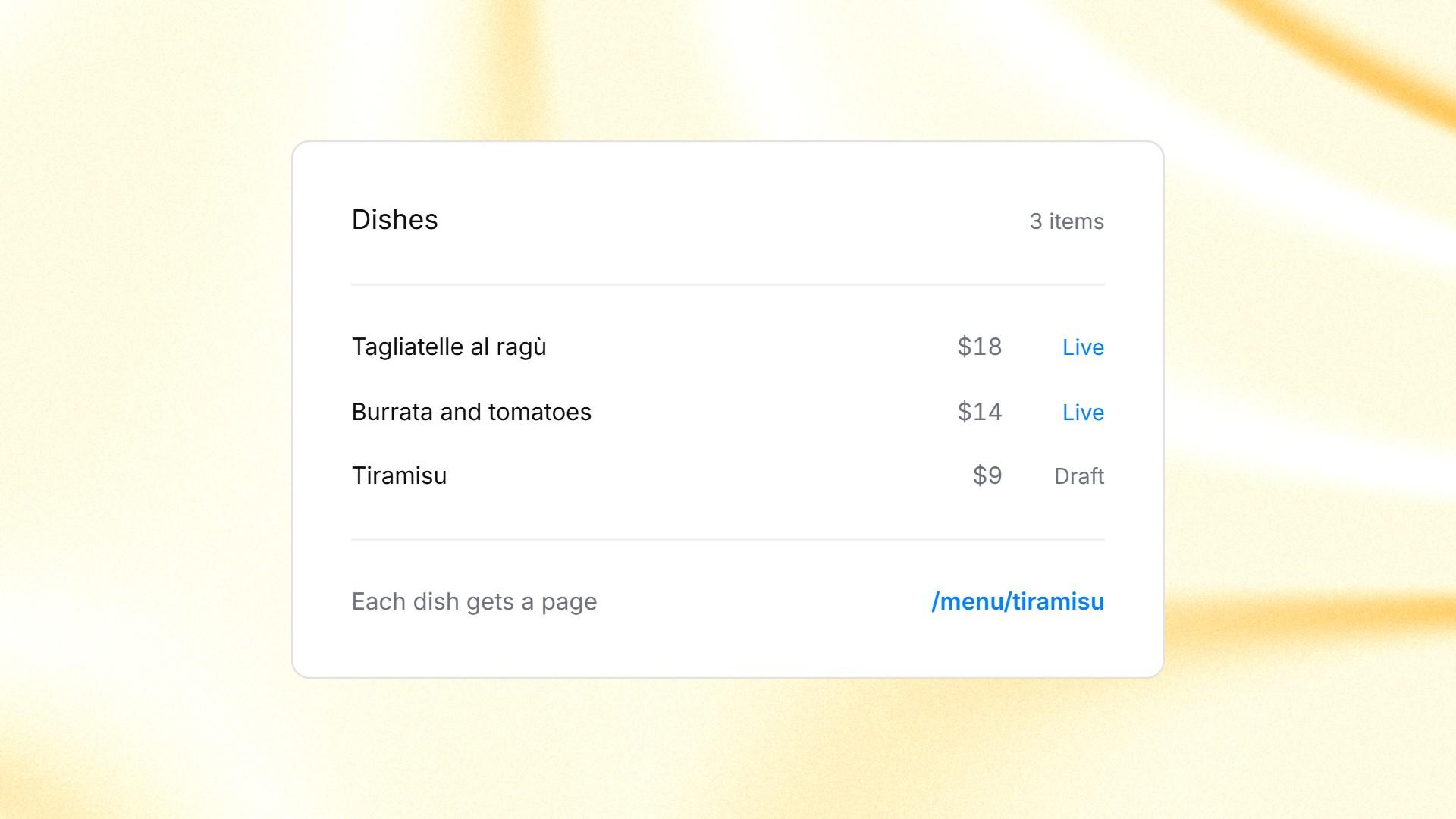
A Dishes collection edited like a spreadsheet, with each dish getting its own page.
You don't have to design the layouts from scratch. Templates come with page sets, such as Blog posts or Projects, that you tick and add to your site, and the site Agent can create a collection for you when you describe what it's for. For a second language, add a locale and translate with AI.
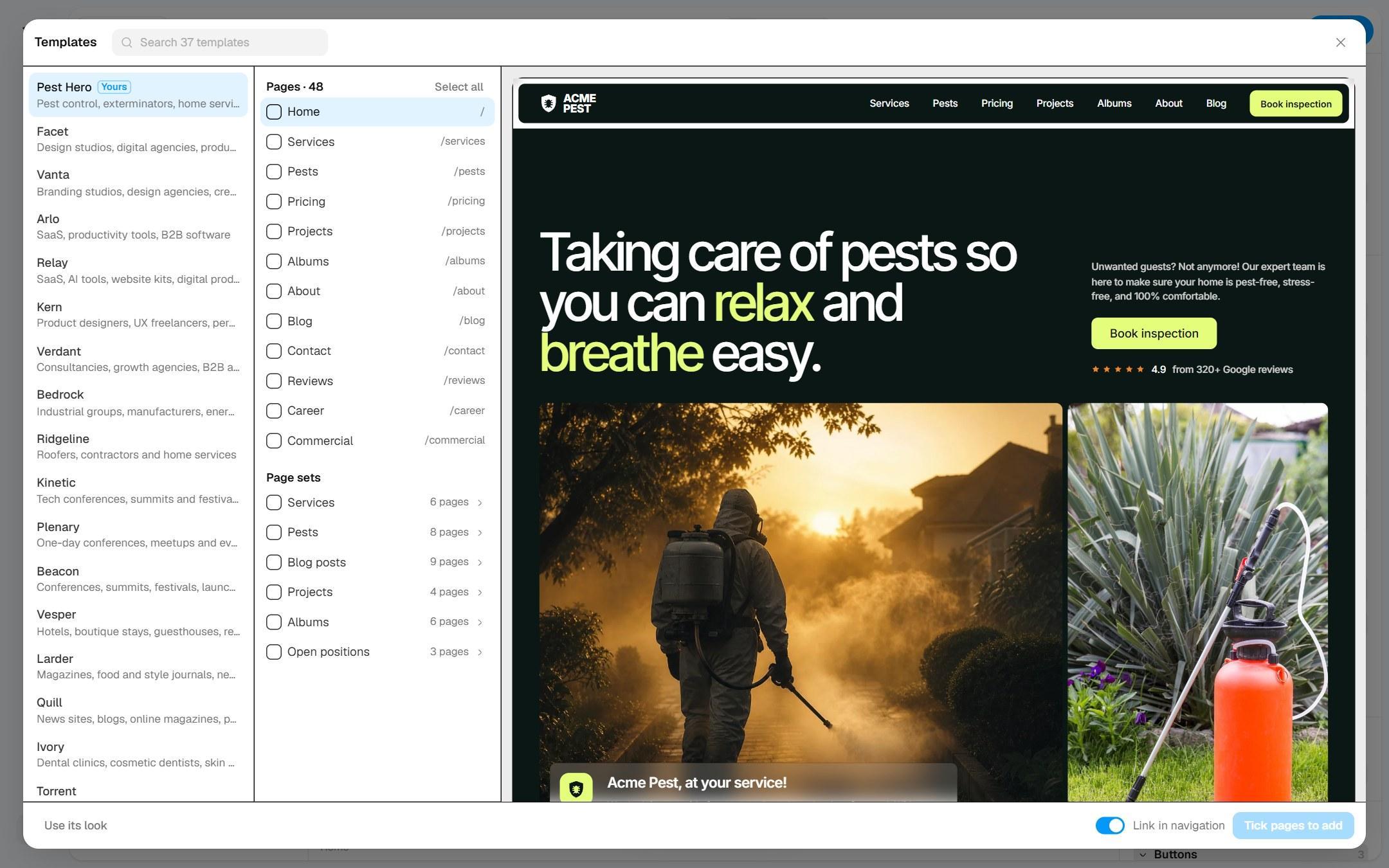
The template browser in ManyPI Sites, with page sets like Blog posts and Projects ready to add. Sample content.
The limits are per site. Basic is $15 a month for 250 CMS items and one language. Plus is $35 a month for 1,000 items and three languages, and Scale is $79 for 5,000 items. Building and previewing is free, so you can set up your collections on a free account and see the pages before you pay.
2. Self-hosted WordPress
WordPress started as a blogging tool and still does it best of anything here. Posts, categories, tags and scheduled publishing are built in, and custom post types with a fields plugin cover listings.
You run it. Hosting, backups and updates to core and plugins are your job, and a neglected plugin is the usual way a small WordPress site gets into trouble. If you'll publish weekly for years, that's a fair trade.
3. Notion with Notion Sites
A Notion database already works like a CMS: each row is an item with its own fields, and it opens as its own page. Publish it as a site and the database becomes your blog or directory. Free sites live on notion.site, and your own domain needs a paid plan plus a custom domain add-on, according to Notion's Sites pricing.
Writers love it, because the editor is the one they draft in. Designers don't, because every page looks like Notion.
4. Jekyll on GitHub Pages
Jekyll is the static site generator built into GitHub Pages. Each post is a Markdown file in a `_posts` folder that a theme turns into a page. Hosting is free, including your own domain.
It suits a developer's blog. Anyone else has to learn Git and Markdown to publish a post, and there's no place to preview a draft except your own computer.
5. Google Sites
For a club or a small business that posts a few updates a year, Google Sites can hold a simple news page. It's free with a Google account.
It has no collections. Each update is a page you add and lay out by hand, and listing them in date order is up to you, so it stops being practical somewhere past a dozen posts.
How many CMS items will you need?
Count before you choose a plan. A rough sum gets you there:
A blog. Two posts a week is about 100 a year. Basic's 250 items covers that for roughly two years.
A directory or listings. Count today's listings and double it. A 600-listing directory starts on Plus.
Several collections. The item limit is per site, so a blog and a team page both count toward it.
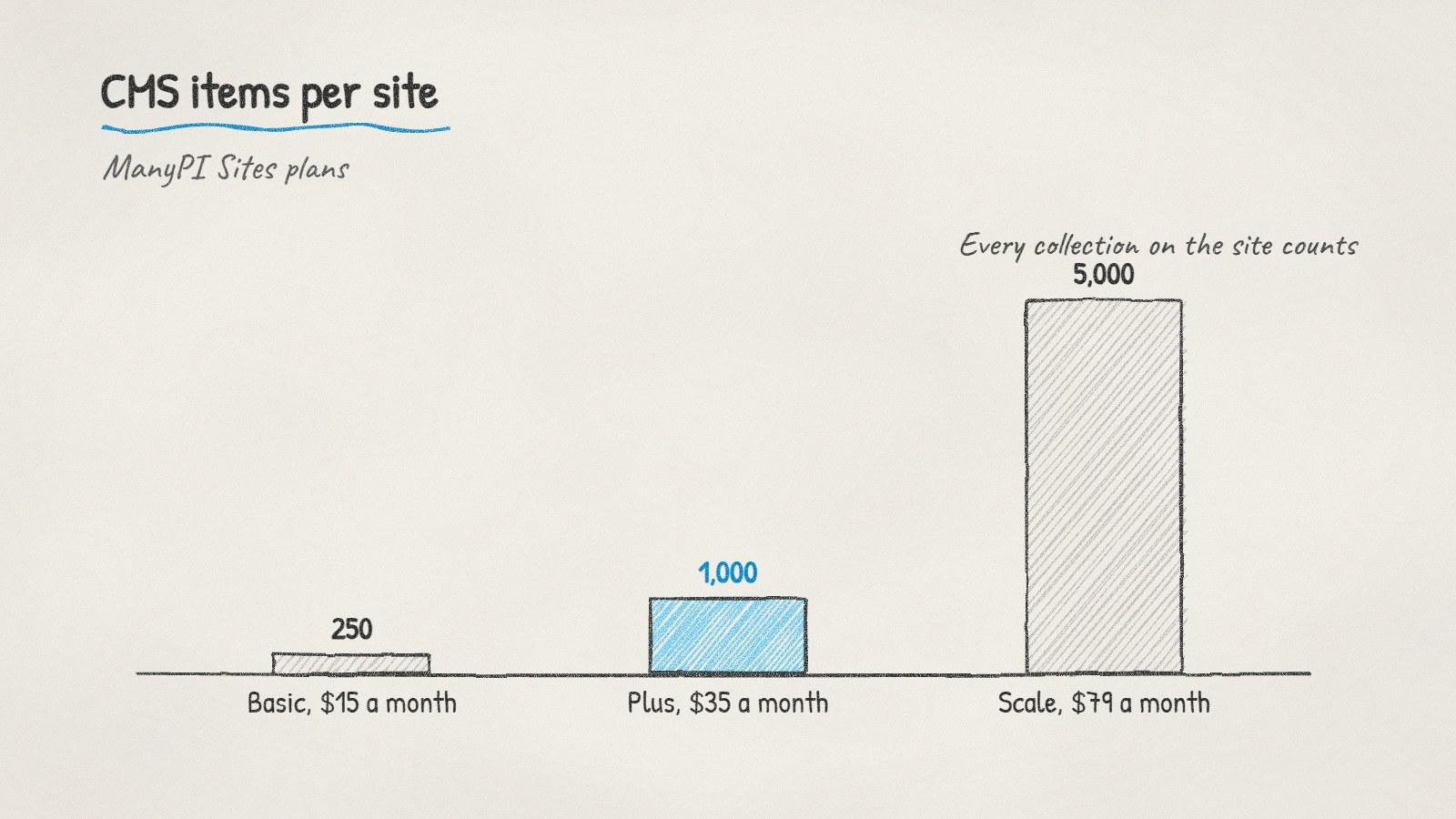
CMS items on each ManyPI Sites plan, from 250 on Basic to 5,000 on Scale.
Moving from Webflow? Webflow can export each collection as a CSV, and our list of cheap Webflow alternatives walks through the rest of the move.
Where to read more on Reddit
Subreddit | What it's about | What to search there |
|---|---|---|
r/webflow | Webflow designers and developers | CMS limits, CMS alternative, blog |
r/Wordpress | WordPress users and developers | custom post types, moving from Webflow |
Build your item layout with three real items before you add the rest. A missing field is a quick fix on page three and an afternoon's work on page three hundred.
Written by
Bastian W.
Content Manager / ManyPI