


TL;DR
High bounce rate on a cold campaign? Pause sending now, suppress every hard bounce, verify the rest of the list, check SPF, DKIM and DMARC, then restart slowly with verified addresses only.
Verify emails before you sendA bounce spike is the one cold email problem that gets worse while you think about it. Every message that hits a dead address tells Gmail and Outlook a little more about how carefully you pick your recipients, and the campaign keeps sending while you investigate.
So do this first, in this order:
Pause every campaign sending from the affected inbox or domain.
Move every hard-bounced address to a suppression list so nothing emails it again.
Verify the rest of the list before a single more message goes out.
Check your domain authentication while sending is paused.
Restart at lower volume, to verified addresses only, and watch each batch.
Below is what each step involves and how to tell whether you're dealing with a bad list or a reputation problem, because the fixes are different.
Pause first, diagnose second
Bounces cluster. If 40 of the first 600 sends bounced, the remaining addresses came from the same source and probably bounce at a similar rate. Letting the campaign finish "to see what happens" just repeats the damage at full volume.
Pausing costs you a day. Continuing can cost you the domain.
Hard bounce or soft bounce?
Read the bounce codes before you delete anything. Some bounces mean the address is dead. Others mean the receiving server doesn't trust you right now, and verifying the list won't fix that.
Bounce message | What it means | What to do |
|---|---|---|
550 5.1.1 (user unknown, no such mailbox) | The address doesn't exist | Suppress it permanently |
552 or 452 (mailbox full, over quota) | The mailbox exists but can't accept mail | Retry once later, then drop it |
421 or 451 (try again later, rate limited) | The server is slowing you down | Lower your volume, retry later |
550 5.7.x (blocked, policy, unauthenticated) | The server rejected you, not the address | Fix authentication or reputation before sending again |
If most of your bounces are 5.1.1, you have a list problem. If most are 5.7.x, you have a sender problem, and you should skip ahead to the authentication section.
How high is too high?
Neither Google nor Microsoft publishes an official bounce threshold. What Google does publish is a spam rate rule: its sender guidelines say to keep the spam rate reported in Postmaster Tools below 0.10% and avoid ever reaching 0.30%.
For bounces, the working rule most cold email teams use is to keep hard bounces under about 2% of sends, investigate anything above that, and stop immediately at around 5%. Treat those as practical guardrails, not published limits.
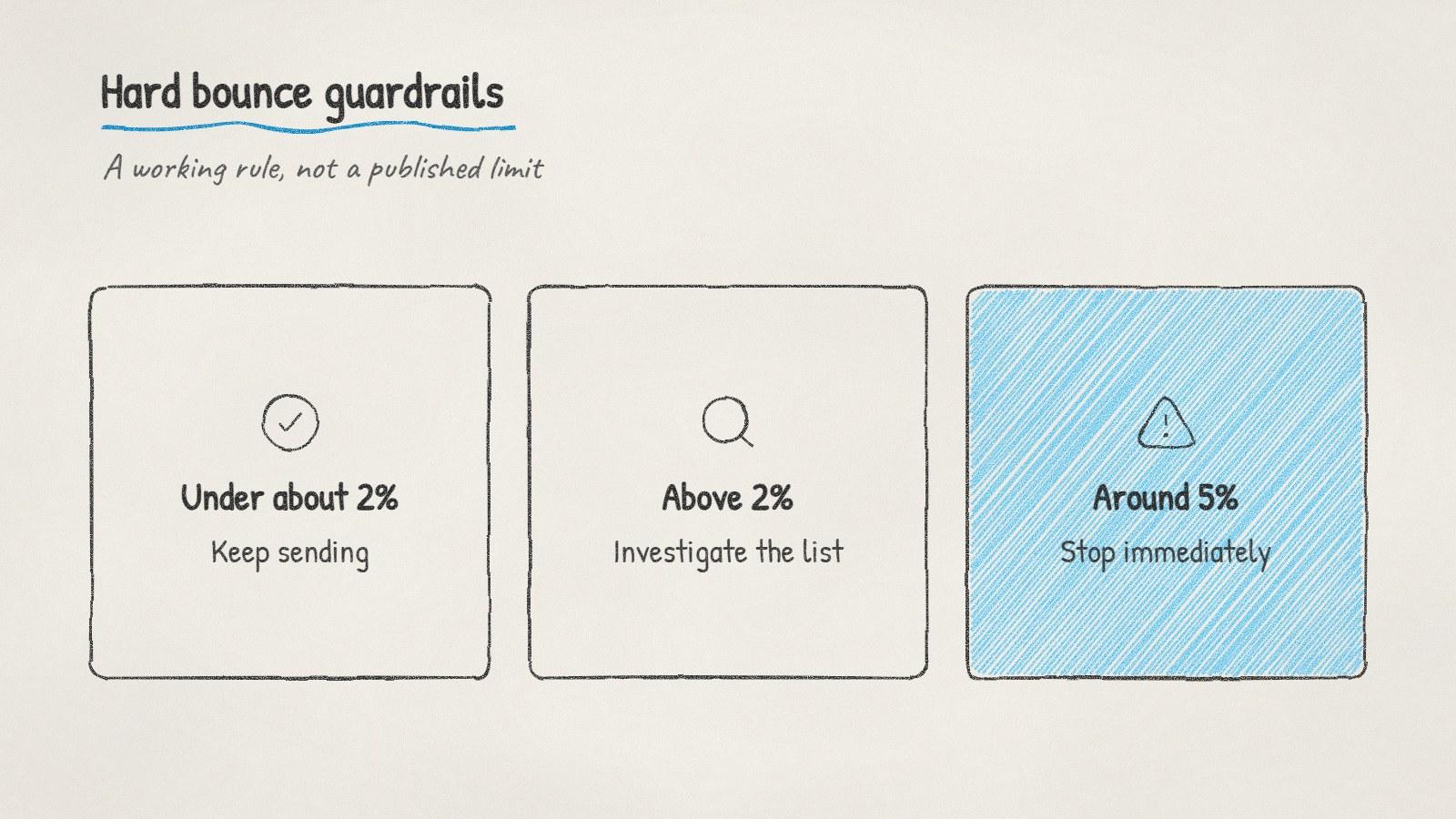
The hard bounce guardrails most cold email teams work to. They're rules of thumb, not limits published by Google or Microsoft.
Why the list went bad
Knowing the cause tells you whether verification will be enough, or whether the whole source needs replacing.
People changed jobs. Their old work address gets deleted, sometimes weeks after they leave.
The addresses were guessed. Tools that build first.last@company patterns without checking produce addresses that look right and don't exist.
The list was bought or reused. Old exports and purchased lists have no reliable date of collection. We wrote a separate piece on what you actually get when you buy a B2B email list.
Catch-all domains hid the problem. Some servers accept every address at the door and bounce later, so earlier checks looked clean.
If the list came from one bought file or a guess-based tool, consider throwing the unverified remainder away instead of trying to rescue it.
Verify what's left
Email verification checks an address without sending a message. A proper check confirms the syntax, confirms the domain has mail servers, then asks the receiving server whether that specific mailbox exists.
You'll get three kinds of result back:
Valid: safe to send.
Invalid: suppress it with the hard bounces.
Catch-all or unknown: the server accepts everything or didn't answer. Keep these out of the restart batch and send to them later in small numbers, once the valid ones have gone out cleanly.
Our free email verifier handles a few addresses at a time if you want to spot-check before verifying the full list. If you keep a do-not-contact file, run the list through the suppression list checker too.
Check authentication while sending is paused
If your bounces were mostly 5.7.x, or your open rates dropped at the same time, look at authentication before anything else.
Google requires every sender to Gmail accounts to authenticate with SPF or DKIM, and senders of more than 5,000 messages a day to also have DMARC, with SPF and DKIM both in place. Microsoft started enforcing similar rules for high-volume senders to Outlook.com, Hotmail and Live addresses on May 5, 2025: SPF, DKIM, and a DMARC record of at least p=none. Microsoft's announcement says non-compliant mail goes to Junk first and may be rejected later.
Most cold email teams send far below 5,000 a day, but setting all three up is still the right move. It costs nothing and removes one variable from the diagnosis.
Restart slowly
When you resume:
Send only to addresses that came back valid.
Drop to roughly half your previous daily volume for the first few days.
Check bounces after each batch rather than at the end of the week.
Add catch-all addresses back gradually, in small batches, once bounces stay low.
If bounces stay under your threshold for a week, step volume back up. If they don't, the source is the problem, and no amount of pacing will fix it.
How ManyPI stops this from happening
Disclosure: ManyPI is our product, and bounce protection is built into the way it sends.
Every email address is checked against the receiving mail server before a campaign is allowed to use it. Addresses that come back undeliverable are skipped automatically, and a hard bounce retires that address from future campaigns. If bounces start piling up anyway, bounce protection pauses the inbox before a bad list can do lasting damage.
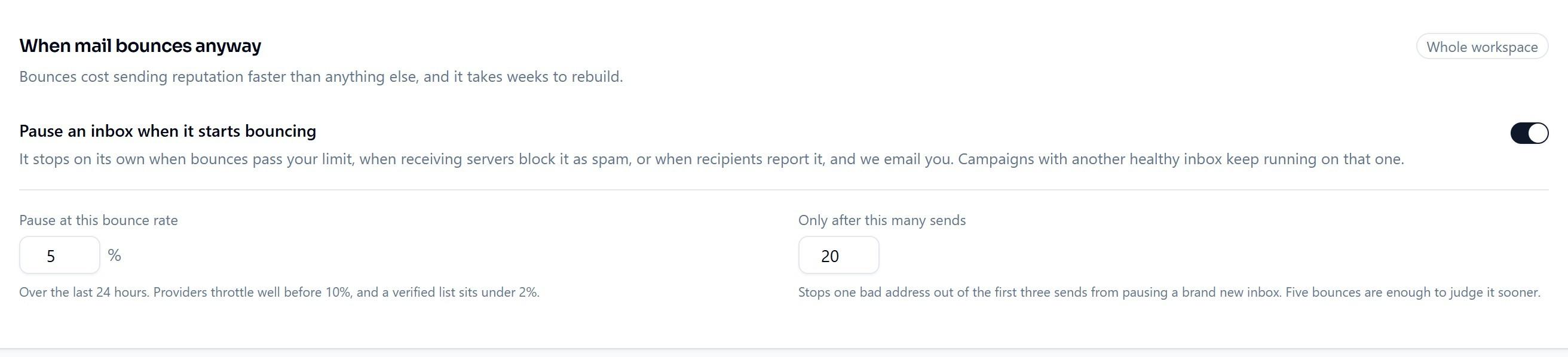
Bounce protection in ManyPI pauses an inbox on its own when bounces pass the rate you set.
You can verify emails on the free plan (50 checks, no card) and send campaigns from your own inboxes on paid plans from $25 a seat a month.
The habit that prevents most bounce spikes is simple: verify close to the send date, not just at import. Lists decay while they sit in a spreadsheet, and an address that was fine in June can be gone by October.
Written by
Ole Mai
Founder / ManyPI