


TL;DR
Pick cold email software that checks every address against the receiving mail server before sending and blocks the ones that fail on its own. Then check how it treats catch-all addresses and when it re-checks old ones.
Verify before you sendThe cold email software worth buying checks every address before it sends and refuses to email the ones that fail, without you exporting the list to a separate verifier and importing it back. Built-in verification removes a step people skip under pressure, and skipping it is how most bounce spikes start. When you compare tools, look past "includes verification" and ask how it works: when the check runs, what happens to catch-all addresses, whether failed addresses are blocked automatically, and whether an inbox pauses when bounces climb anyway.
Why check every address before sending
A bounce tells the receiving mail provider you don't know who you're writing to. A few are normal. A lot of them, from one domain, look like a bought or guessed list, and that affects how the rest of your mail is treated.
Mailbox providers say this plainly. Microsoft's requirements for high-volume senders recommend removing invalid addresses regularly "to reduce spam complaints, bounces, and wasted messages." Google's sender guidelines set the bar on the other signal that follows bad lists: keep the spam rate below 0.10% and never reach 0.30%.
Lists also go bad while they sit. People change jobs and companies change domains, so an address that was fine at import can be dead a few months later. That's why the timing of the check matters as much as the check itself. If your bounces are already high, our guide to a cold email bounce rate that's too high covers the next hour.
How email verification works
Verification checks an address without sending it a message. A full check confirms the syntax and that the domain has mail servers, then asks the receiving server whether that mailbox exists. The answer lands in one of four buckets:
Result | What it means | What your software should do |
|---|---|---|
Valid | The mailbox exists and accepts mail | Send |
Invalid | The mailbox doesn't exist | Block it, permanently |
Catch-all | The server accepts every address, so the mailbox can't be confirmed | Hold back, or send in small batches after the valid ones |
Unknown | The server didn't give a clear answer | Retry later before sending |
A tool that only checks syntax, or guesses addresses from a first.last pattern without asking the server, isn't verifying. Ask which of these steps it runs.
What to look for in cold email software with verification
Feature | Why it matters | Question to ask |
|---|---|---|
Checks before every campaign | Lists decay between import and send | Does it check at import only, or again before sending? |
Blocks failed addresses on its own | Nobody has to remember to filter | Can a campaign send to an invalid address at all? |
Separate handling for catch-all | They're the riskiest group | Can I send to catch-alls later, in small batches? |
Suppression after a hard bounce | One bounce should be the last | Is a bounced address removed from every future campaign? |
Bounce protection per inbox | It stops a bad list early | Does an inbox pause when its bounce rate climbs? |
Clear cost per check | Re-checks add up | How many checks are included, and what's the price after that? |
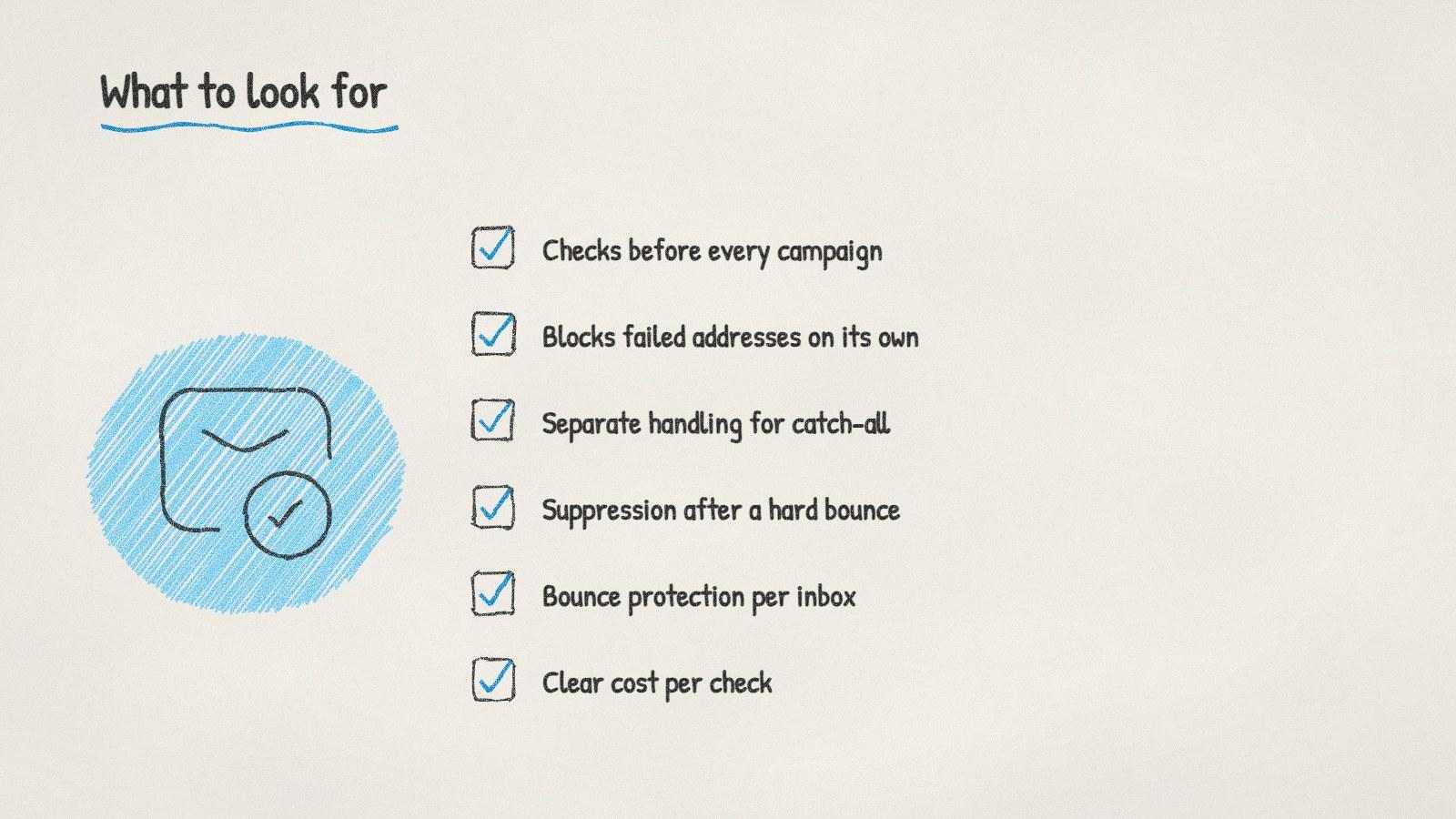
What to look for in cold email software with email verification.
The first two rows matter most. Verification you have to remember to run gets skipped in a busy week.
Built-in or a separate verifier?
A separate verifier works if you send a few campaigns a year from lists you build once. You export, verify, re-import and keep the results tidy yourself.
Built-in verification wins when lists change every week: new leads arriving daily, several people adding contacts, campaigns that run for a month, old lists coming back into use. Every manual handoff is a chance for an unchecked address to slip through.
Which to pick is a regular question in r/coldemail and r/Emailmarketing. Whichever you choose, read how the check works before you rely on it.
Doing it with ManyPI
Disclosure: ManyPI is our product.
In ManyPI, every email is checked against the receiving mail server before a campaign can use it, and addresses that fail are skipped. If bounces pile up anyway, bounce protection pauses the inbox before a bad list can do lasting damage. Campaigns send from your own inboxes, and follow-ups stop when someone replies.
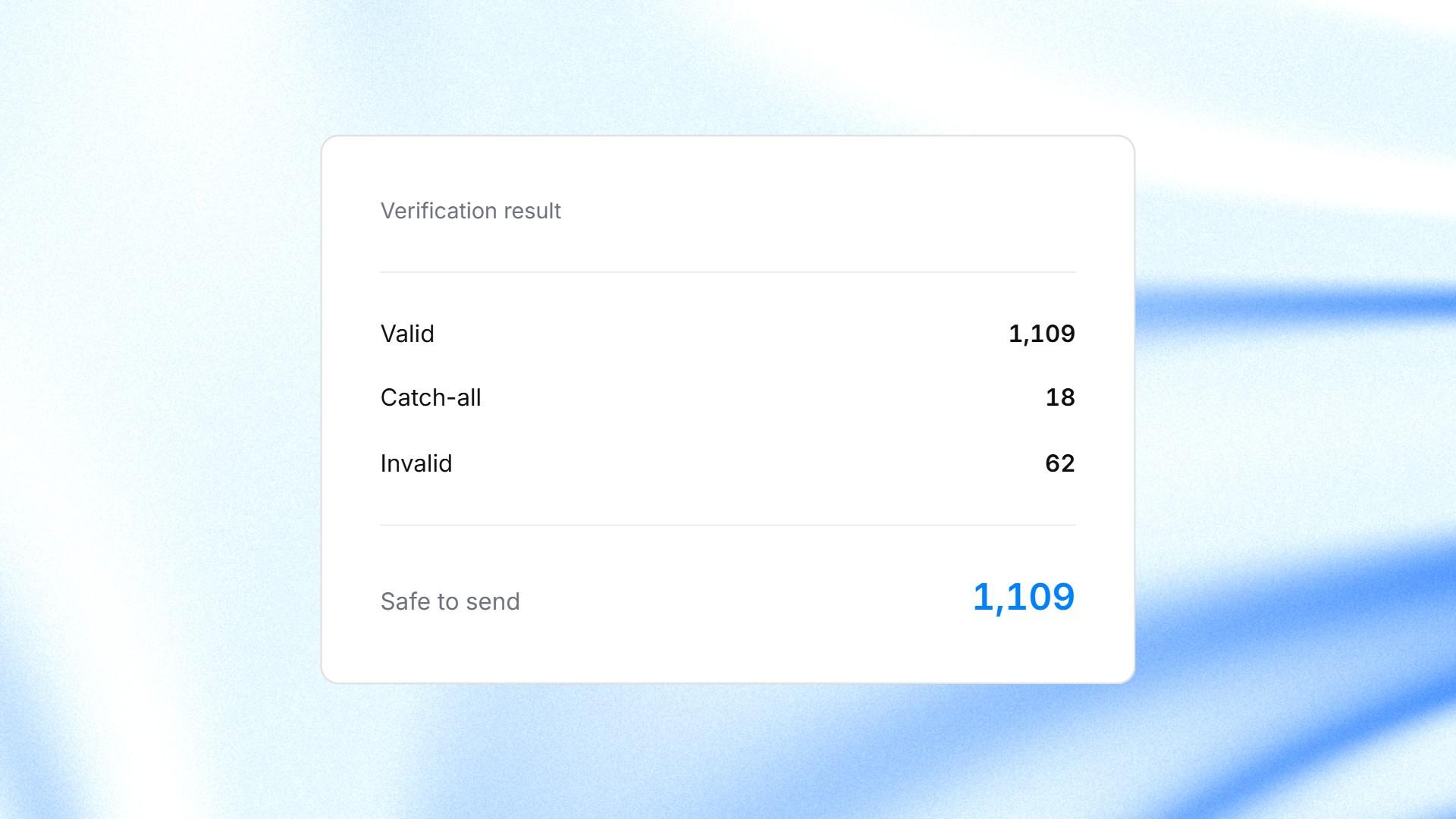
A verification result in ManyPI, ending with the addresses that are safe to send. Sample data.
The free plan includes 50 validations a month with no card. Starter includes 1,000 a seat a month for $25 a seat, and extra validations cost $0.005 each. The email verification page explains the checks, and our free email verifier handles a few addresses at a time if you want to spot-check a list first.
The trap to avoid is trusting a check from months ago. Verify close to the send date, especially for lists you imported a while back.
Written by
Bastian W.
Content Manager / ManyPI