


TL;DR
Cold emails landing in spam usually trace back to one of four causes: authentication, list quality, sending volume or spam complaints. Check them in that order, fix the first one that fails, then restart slowly.
Send cold email that landsWhen replies dry up overnight and your own test emails land in the spam folder, something changed in how Gmail and Outlook see your domain. You don't need to guess. Start with four causes you can check in an afternoon: authentication, list quality, sending volume and spam complaints.
Work through them in that order. The first two are the quickest to check and do the most damage when they're wrong.
First, make sure it really is spam placement
Low reply rates have plenty of causes, and a weak offer looks a lot like a deliverability problem from the outside. Before changing anything, confirm where your emails land:
Send the same email, from the same inbox, to a Gmail address and an Outlook address you control.
Check the inbox, the spam folder, and in Gmail the Promotions tab.
If you have meaningful volume to Gmail users, set up Google Postmaster Tools for your domain. It shows your spam rate and how Google rates your domain.
If both test emails land in the inbox, your problem is more likely the list or the message than deliverability.
The four causes, and how to check each
Cause | How to check | What fixes it |
|---|---|---|
Authentication missing or misaligned | In Gmail, open a message you sent and choose "Show original". SPF, DKIM and DMARC should say PASS | Publish the missing records and make sure the From domain matches |
A bad list | Bounce rate on your last few hundred sends | Pause, verify the rest of the list, suppress every hard bounce |
Sending too much, too fast | Daily sends per inbox compared with a month ago | Cut back, spread sends across the day, add inboxes |
Spam complaints | Spam rate in Postmaster Tools | Narrower targeting and an easy way to opt out |
Content matters too, but it's usually the last of these to blame. Fix the first four before rewriting your copy.
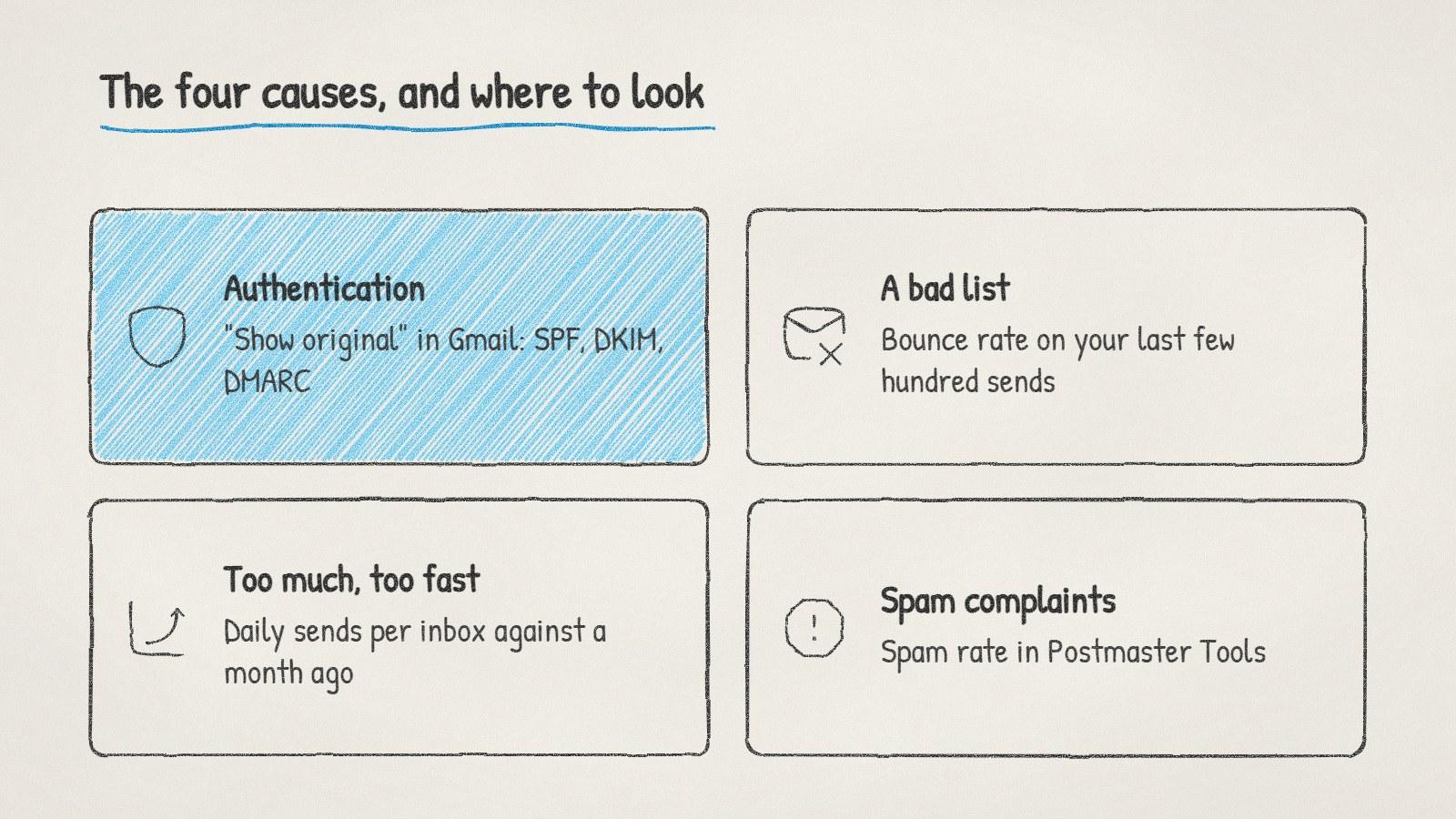
The four usual causes of spam placement, and the first place to check each one.
Authentication comes first
Since February 2024, Google's sender guidelines have required every sender to Gmail to authenticate with SPF or DKIM, and senders of more than 5,000 messages a day to have SPF, DKIM and DMARC together, aligned with the From domain. Microsoft began enforcing similar requirements for high-volume senders to Outlook.com in May 2025.
Most cold email teams send far less than 5,000 a day, but set up all three anyway. A missing DKIM record or an SPF record that doesn't include your email provider is one of the most common reasons a healthy-looking campaign lands in spam. Our guide to setting up a domain for cold email walks through each record.
Spam complaints matter more than you'd think
Google asks senders to keep the spam rate reported in Postmaster Tools below 0.10% and never reach 0.30%. That's one complaint per thousand emails as the target. With cold email, complaints come from irrelevance. Somebody who gets an email that clearly isn't meant for them marks it as spam rather than replying.
The fix is targeting, not wording. A list built on one tight description of your buyer gets fewer complaints than a broad one, because more of the people on it actually have the problem you're writing about.
Volume and pacing
A sudden jump in volume looks suspicious to mailbox providers, even from an established domain. If you went from 30 emails a day to 300 when a new campaign launched, that alone can tip you into spam.
A common rule of thumb is to keep each inbox to somewhere between 20 and 50 cold emails a day, spread across working hours rather than sent in a burst. If you need more volume, add inboxes on secondary domains instead of pushing one harder. Our free cold email volume calculator works out how many mailboxes and domains a daily target needs.
Content and links, last
Once the other four check out, look at the message itself:
Links. Link shorteners and shared tracking domains can carry other senders' reputations. Link to your own domain, and use as few links as you can in a first email.
Tracking. Many cold emailers turn off open tracking on new or struggling domains, since the tracking pixel is one more thing a filter can count against you.
Attachments and images. Leave them out of first emails.
Formatting. Plain text that reads like one person writing to another tends to fare better than designed templates.
How long recovery takes
There's no fixed recovery time. Reputation improves as good sending builds up and bad signals age out. Pause cold sending from the affected domain while you fix the cause, keep low-volume normal email flowing from it, and restart with verified addresses at a fraction of your old volume.
Doing it with ManyPI
Disclosure: ManyPI is our product.
When you connect an inbox, ManyPI checks its sending domain's SPF, DKIM, DMARC and MX records, and gives you a ready-to-paste record for anything missing. Every address is checked against the receiving mail server before a campaign can use it, sends are paced across the day within the daily cap you set, and new inboxes ramp up gradually. If bounces start piling up, bounce protection pauses the inbox before the damage spreads. The cold email outreach page covers how sending works.
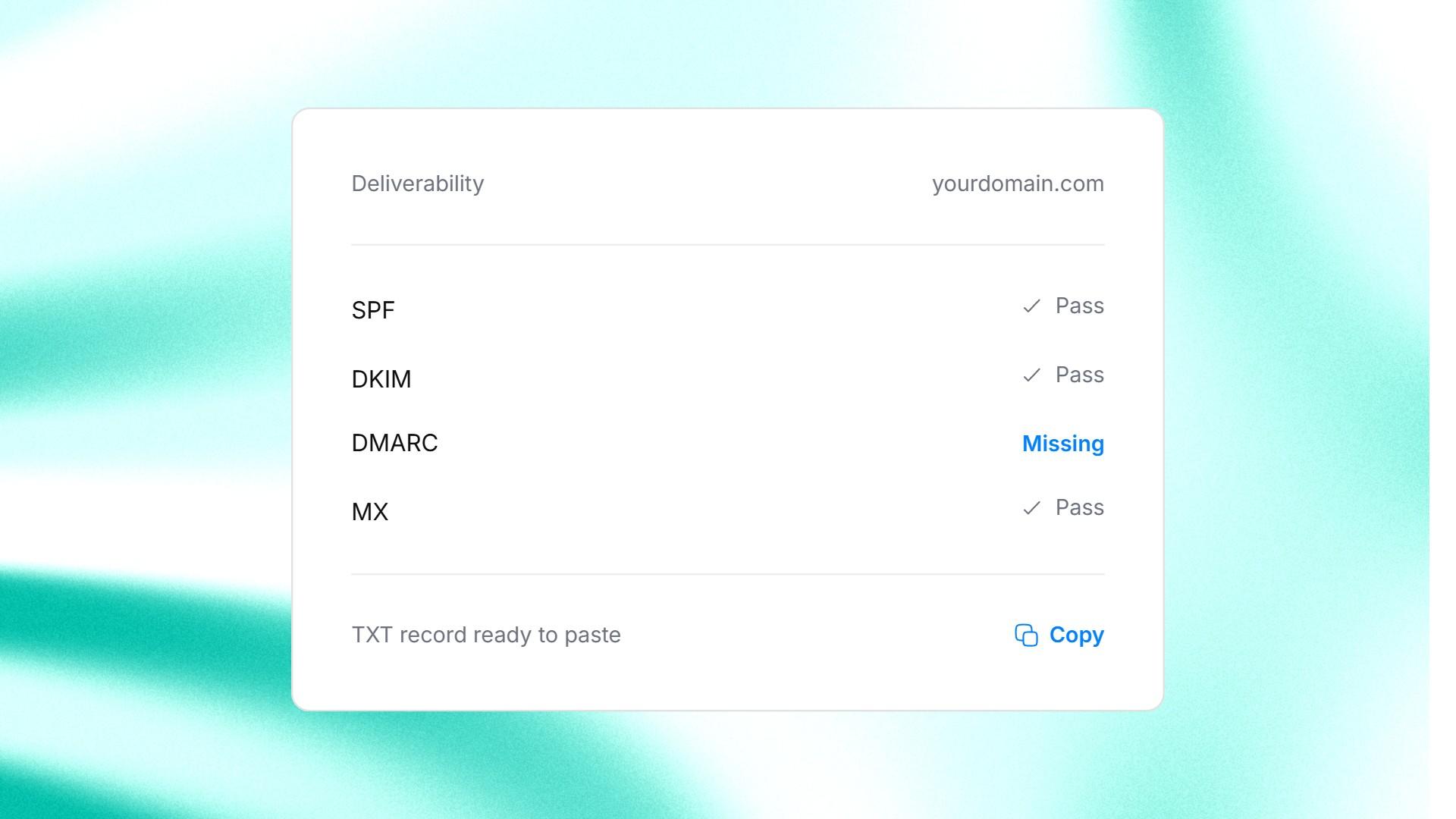
ManyPI's deliverability check on a connected inbox: the missing record comes ready to paste.
One trap to avoid: buying a fresh domain and repeating the same campaign on it. If the list or the targeting caused the problem, the new domain will end up in the same place within a couple of weeks.
Written by
Ole Mai
Founder / ManyPI