


TL;DR
A conversational form asks one question per screen. It beats a long form when visitors arrive on a phone, or when their answers should change what comes next. Here's when to use one and how to build it.
Build a conversational formA conversational form shows one question at a time, so the visitor never faces a wall of empty fields. For lead capture it usually beats a long form when most people arrive on a phone, and when their answers should change what you ask next. A plain one-page form still wins for short, familiar jobs, like a two-field newsletter signup.
Below is when to pick which, and how to build one step by step.
When a conversational form beats a long form
The UK government's design guidance makes the case well. Its service manual on form structure tells teams to start with "one thing per page", because it helps people understand what they're being asked, focus on one question, find their way through an unfamiliar process, use the service on a phone and recover from errors. It also notes teams can merge pages later when research shows it's fine to.
That advice was written for public services, but the reasons carry over to lead forms:
Situation | One question at a time | One page |
|---|---|---|
Visitor came from an ad or a QR code and isn't committed yet | Better: each step is small | Many fields up front can put people off |
Most visitors are on a phone | Better: one question fits the screen | Long scrolling on a small screen |
Answers decide what comes next | Better: skip what doesn't apply | Everyone sees every field |
A two-field signup people already understand | Extra clicks for no gain | Better: done in seconds |
Staff fill in the same form every day | Slower for repeat users | Better: everything visible at once |
Marketers and no-code builders compare the two in r/marketing and r/nocode, and the honest answer is that it depends on the visitor, not the tool.
A sample conversational form for leads
Here's a five-question set for a business that sells to other businesses. Easy questions come first, and the email comes once the visitor has already put in some effort. That order is a common rule of thumb, not a law: test it against your own drop-off numbers.
# | Question | Answer type |
|---|---|---|
1 | What do you need help with? | Choices |
2 | How big is your team? | Choices: just me, 2 to 10, 11 to 50, more than 50 |
3 | When would you like to start? | Choices |
4 | What's your work email? | |
5 | Your name and company | Short text |
Questions 2 and 3 give you a quick read on fit. You can use them to send larger, ready teams to a booking link and everyone else to a thank-you screen.
How to build a conversational form, step by step
Decide what the form has to tell you. Usually that's whether a lead is worth a call this week. Every question should help answer that, or go.
Turn open questions into choices wherever you can. Picking a lettered answer is faster than typing, especially on a phone.
Write one question per screen, in plain words, with a short hint only when people might get it wrong.
Add logic. Hide questions that don't apply and branch on key answers. If you want to rank leads, give answers a score.
Write more than one ending. A booking link for the best fits, a thank-you message for everyone else.
Put it where people already are. A hosted link for emails and QR codes, or embedded on your site inline, as a popup, a slider or a side tab.
Watch where people stop. Check views, starts, finishes and the drop-off on each question, then cut or rewrite the question people quit on.
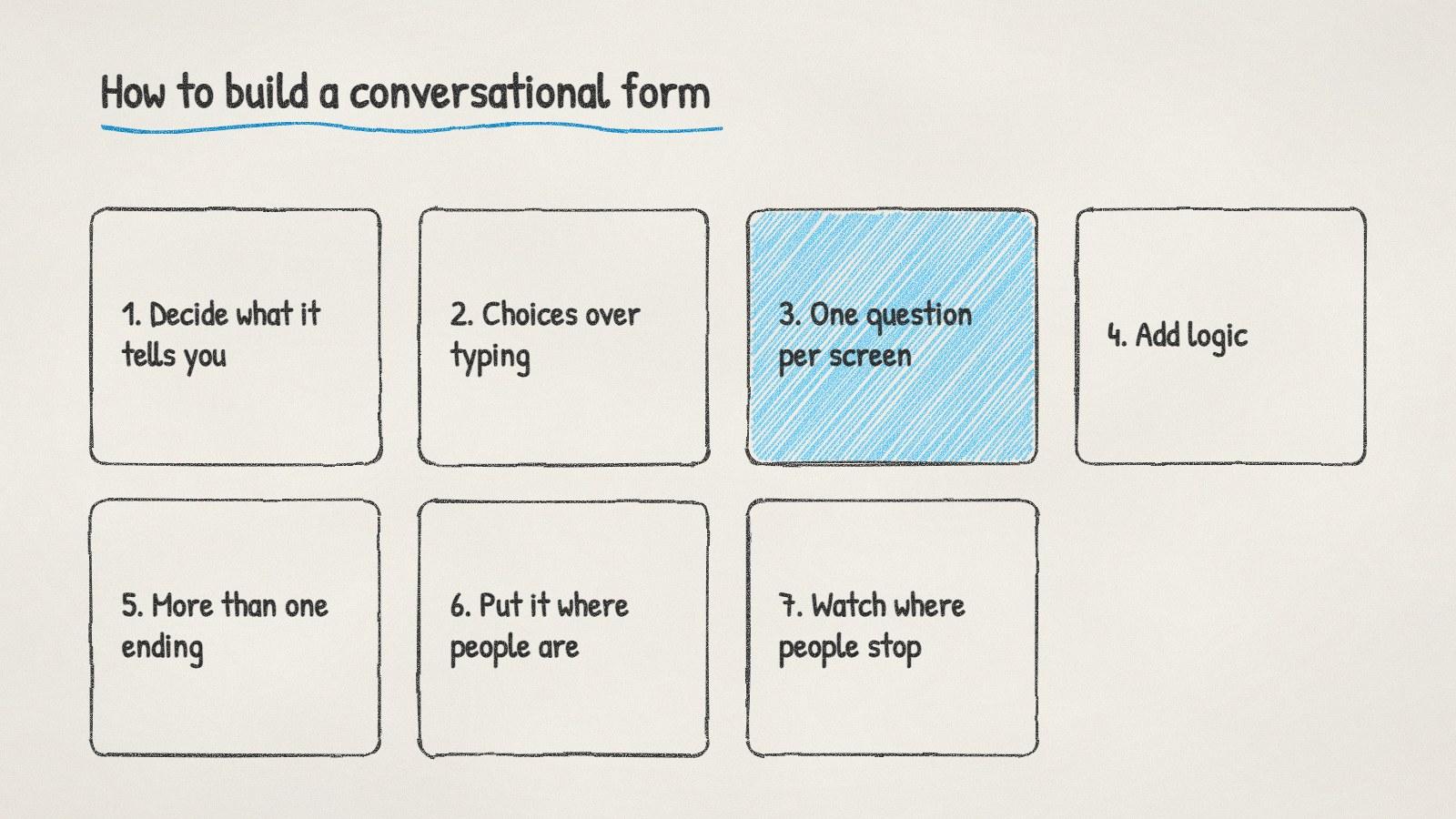
Seven steps to build a conversational lead form.
Doing it with ManyPI
Disclosure: ManyPI is our product.
ManyPI's lead forms are built this way: one question at a time, in a calm, keyboard-friendly flow. You can branch and hide questions, score answers, set up multiple endings and send hot leads to a booking link. Share the form on a hosted link or embed it with one snippet as an inline form, popup, slider or side tab. Every response becomes a lead in the list you pick, deduplicated, with the page it came from, and the forms set no cookies, so they need no cookie banner.
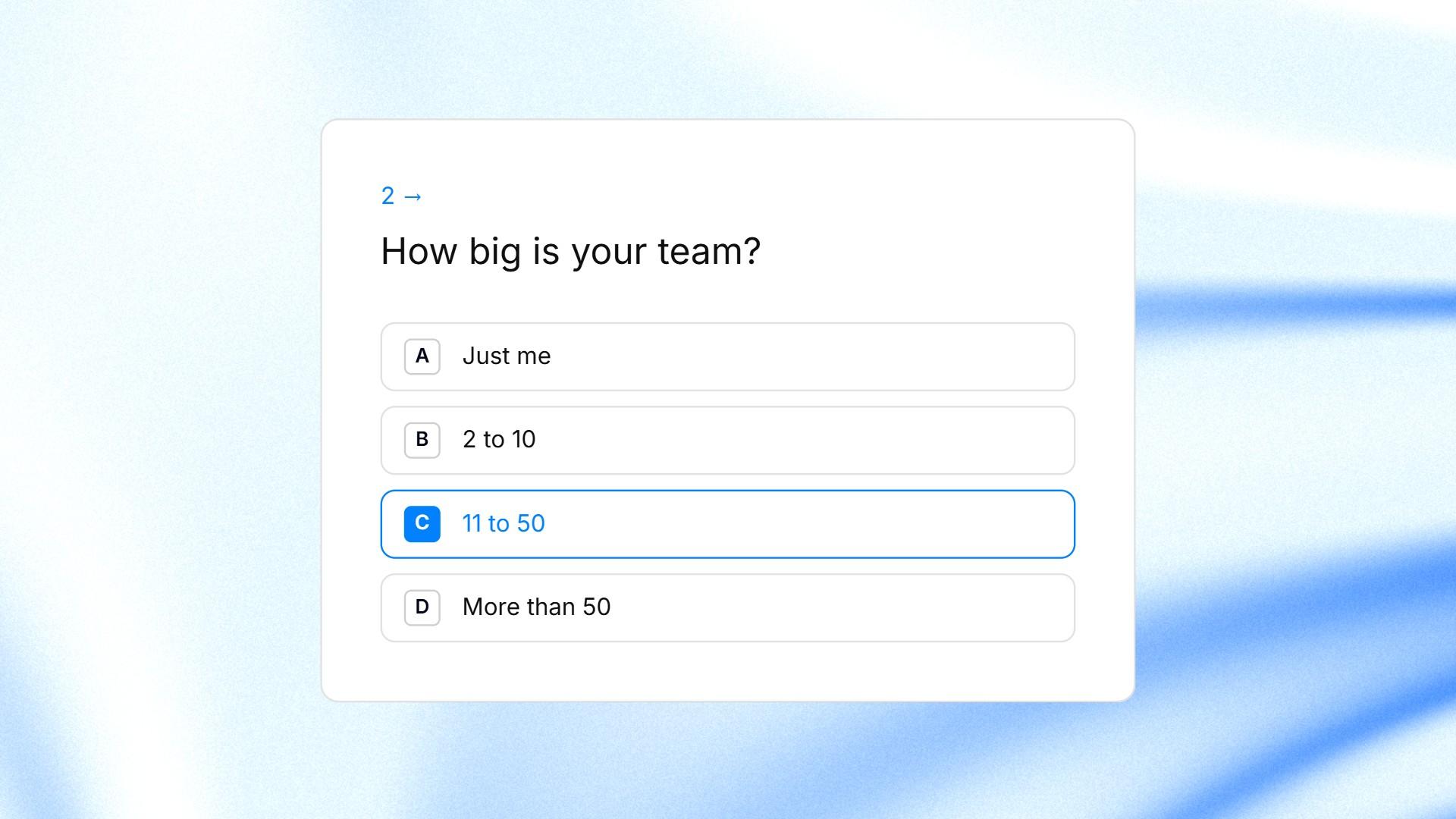
One question of a ManyPI form on screen, with four lettered answers and one picked.
The free plan gives you 3 live forms and 10 responses a month, with a small "Made with ManyPI" credit. Starter, at $25 a seat a month or $21 billed yearly, raises that to 25 live forms and 2,500 responses a month without the credit. It also shows drop-off by question, so you can see which question loses people. The form templates include 143 ready-made forms, such as a lead qualification form, if you'd like a starting set of questions.
One trap to avoid: don't make every question required just because you can. If someone skips "budget" but leaves a work email, you still have a lead.
Written by
Bastian W.
Content Manager / ManyPI