


TL;DR
A form builder that stores nothing on the visitor's device usually means the form itself needs no cookie banner. Check cookies, web storage, pixels and scripts, then test it in your browser before you trust the label.
Build a cookie-free formIf a form stores nothing on the visitor's device and reads nothing from it, the form itself usually doesn't need a cookie banner. That's the practical reason to look for a form builder without cookies. The catch is that the rules in the EU and UK cover more than cookies: web storage and tracking pixels count too. So "cookie-free" on a pricing page is a starting point, and the real test takes five minutes in your own browser.
This is general information, not legal advice. If your site does anything unusual, ask someone qualified.
Why a form builder without cookies saves you a banner
The EU rule is Article 5(3) of the ePrivacy Directive. It requires consent before information is stored on, or read from, a user's device, with two exceptions: carrying a communication, and providing a service the user explicitly asked for, where the storage or access is strictly necessary. A cookie banner is how most sites ask for that consent.
The European Data Protection Board's Guidelines 2/2023 on the technical scope of Article 5(3), adopted in final form on 7 October 2024, make clear the rule isn't limited to cookies. They work through techniques such as tracking pixels and URL tracking.
The UK's version sits in PECR. The ICO's guidance on storage and access technologies, last updated in April 2026, covers cookies, tracking pixels, link decoration, device fingerprinting, web storage, and scripts or tags. It also lists the exceptions to consent, including strictly necessary storage and statistical purposes, and the conditions attached to each.
People running EU and UK sites ask about this regularly in r/gdpr, and developers who embed third-party forms raise it in r/webdev.
What "no cookies" has to cover
When a form builder says it's cookie-free, check these four things. Any one of them can bring the consent question back.
What to check | Why it matters | Where to look |
|---|---|---|
Cookies | The obvious one, set by the form page or the embed | Browser dev tools, Application or Storage tab |
Web storage (local and session storage) | Stores information on the device just like a cookie does | The same tab, under Local storage and Session storage |
Tracking pixels and analytics tags | Read or send device information to a third party | Network tab, requests to other domains |
Scripts the embed pulls in | A "cookie-free" form can load a chat widget or analytics tool that isn't | Network tab, and the vendor's documentation |
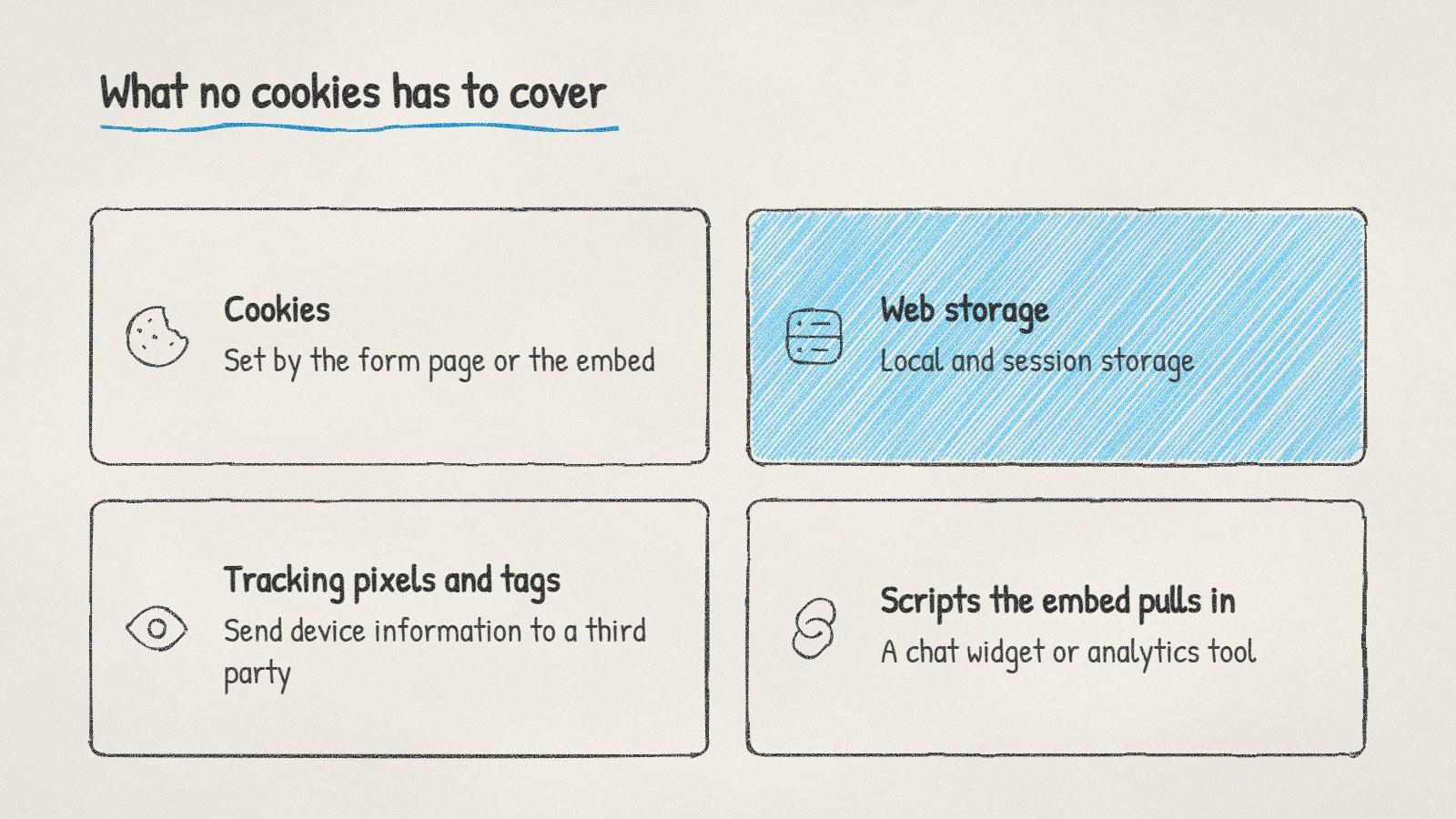
Four things a cookie-free form has to avoid, not just cookies.
How to test a form yourself
You don't need to read the vendor's code. Your browser shows you what a page stores.
Open the page with the form in a private window, so nothing from earlier visits is already there.
Open the developer tools (F12 in most browsers) and go to the Application tab in Chrome or Edge, or Storage in Firefox.
Look through the cookie and storage entries for anything set by the form's domain or the embed.
Fill in the form and submit it, then look again. Some tools only write something once you start typing.
Check the Network tab for requests to analytics or advertising domains you didn't add yourself.
If all of that comes back empty for the form's domain, the form isn't storing anything on the device. Your page as a whole still might be, through other tools you run.
A cookie-free form still collects personal data
Dropping the banner doesn't drop your other duties. A lead form collects names and email addresses, which is personal data under the GDPR and UK GDPR.
Tell people what happens next. A line under the form saying what you'll do with their details, with a link to your privacy notice.
Have a lawful basis for keeping and using what they send. The ICO's guide to lawful basis is a clear place to start.
Ask separately for marketing emails if you plan to send them, where the rules require it. Our guide to B2B cold email laws by country shows how much this varies.
Keep only what you'll use. Fewer questions also tends to mean more people finish the form.
Doing it with ManyPI
Disclosure: ManyPI is our product.
ManyPI's lead forms set no cookies and need no cookie banner, and form views are counted without cookies. Each form asks one question at a time, on a hosted link or embedded on your site with one snippet, as an inline form, popup, slider or side tab. Every response becomes a lead in the list you pick, deduplicated, with the page it came from. You can branch and hide questions, score answers, set more than one ending and send hot leads to a booking link.
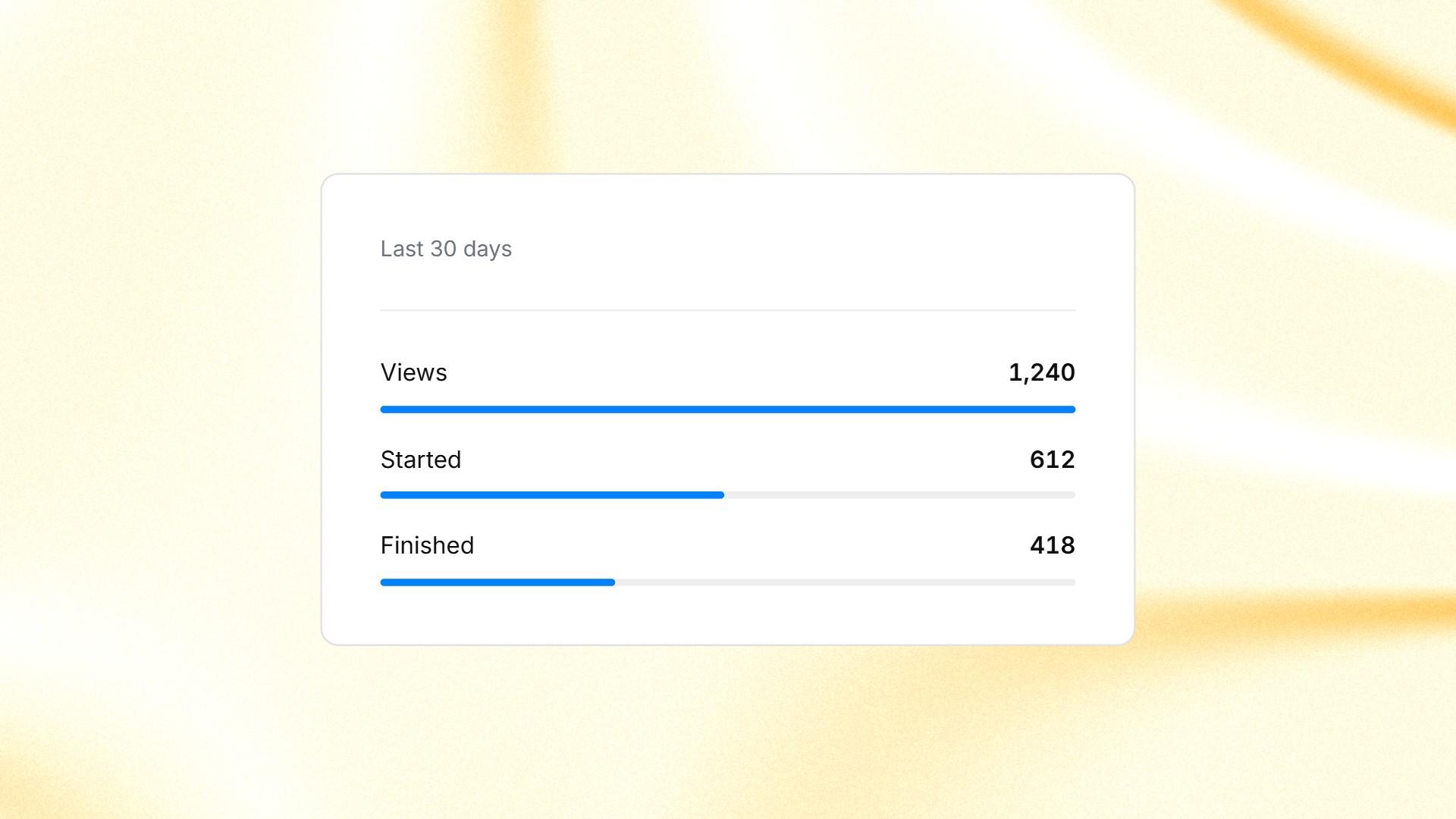
Form views, starts and finishes in ManyPI, counted without cookies.
The free plan gives you 3 live forms and 10 responses a month, with a small "Made with ManyPI" credit. Starter is $25 a seat a month, or $21 billed yearly, for 25 live forms and 2,500 responses a month without the credit. There are 143 form templates if you'd rather not start from a blank form.
Run the five-step test on our forms too. If your site already shows a banner for analytics or ads, a cookie-free form won't remove it. It just means the form doesn't add to what the banner has to cover.
Written by
Bastian W.
Content Manager / ManyPI