


TL;DR
Need B2B leads this week? Describe one buyer in a sentence, pull them from the source that fits, verify every email, then send small batches from a warm inbox. Done in that order, a usable list takes hours, not weeks.
Find leads with ManyPIIf you're searching for this, the pipeline is probably thin and somebody wants meetings on the calendar soon. Good news first: a clean, usable lead list is a same-day job. Replies take a little longer, and the fastest way to slow them down is to rush the wrong step.
Here's the order that works when time is short:
Write one sentence that describes the buyer.
Pull companies from the source that actually covers that buyer.
Find a named person, or a shared inbox someone reads.
Verify every address before it goes near a campaign.
Send small batches from an inbox that already has a sending history, and follow up twice.
The rest of this post is how to do each step quickly without burning your domain on day one.
What "fast" realistically means
You can have a few hundred verified leads by the end of today. You can start sending tomorrow if you already have an inbox that sends normal email every day. What you can't do quickly is send cold volume from a domain you bought this morning. A brand-new domain needs a couple of weeks of warmup before mailbox providers trust it, and skipping that is how fast campaigns end up in spam.
So if you need replies this week, send from an existing, healthy inbox at low volume, and warm a second domain in parallel for when you scale.
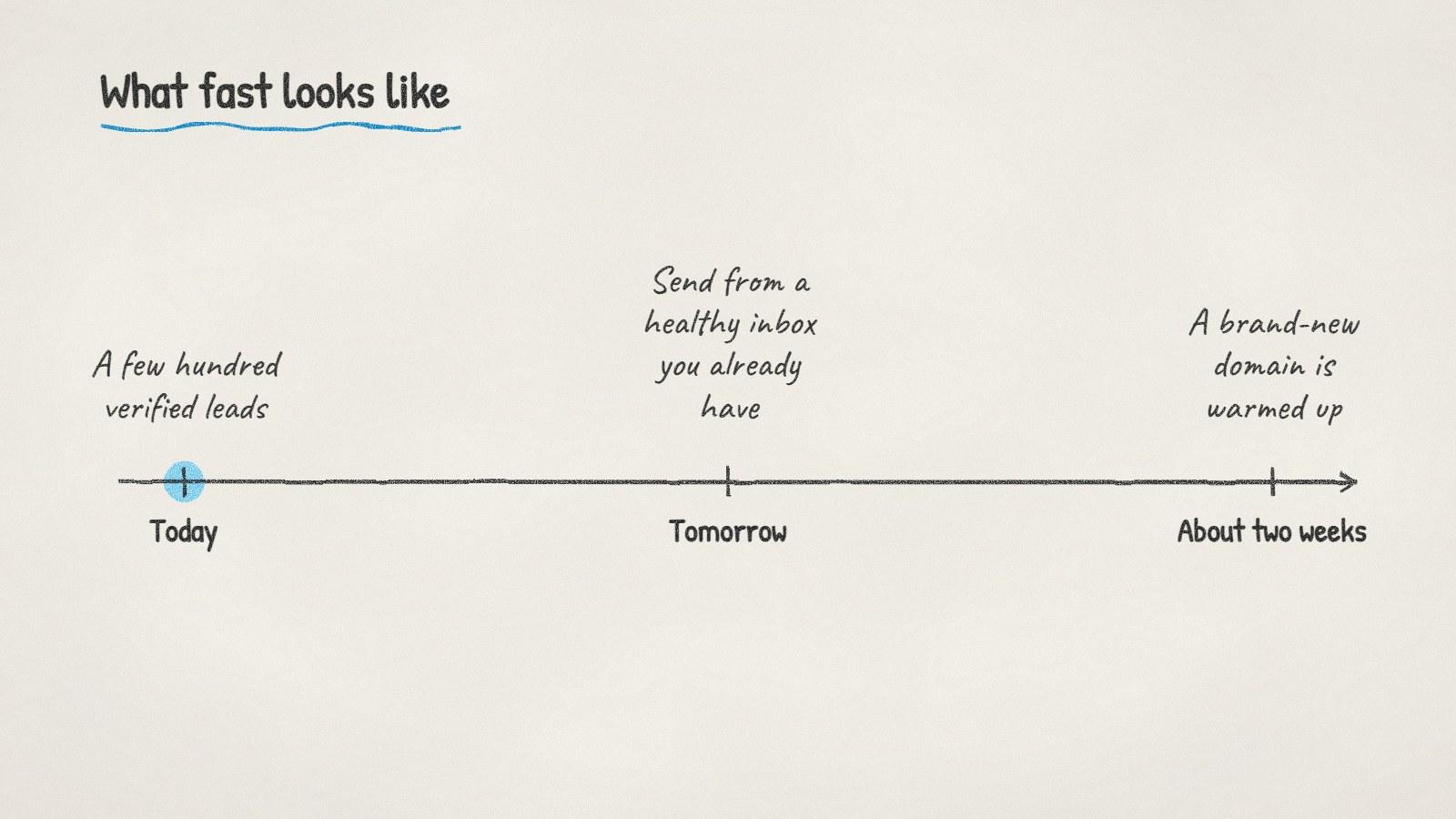
A verified list is a same-day job. A new sending domain takes a couple of weeks.
Step 1: Describe the buyer in one sentence
Vague targeting is the slowest thing in lead generation, because every search returns too much and you spend the afternoon filtering. Compare these two:
"Small businesses in healthcare"
"Dental clinics in Leeds with at least three dentists that don't offer online booking"
The second one tells you where to look and what to say in the first line of the email. It also gives you a smaller list, which is a feature. A hundred companies that fit beat two thousand that might.
A good sentence usually has a business type, a place or market, one size signal, and one reason they'd need you now.
Step 2: Pick the source that covers that buyer
Different buyers live in different places. Contact databases are strong on funded tech companies and weak on the plumber down the road. Matching the source to the buyer saves most of the time.
Buyer | Where they show up | Why it works |
|---|---|---|
Software and tech companies | Contact databases, funding news | Well covered, titles are standardised |
Local businesses (trades, clinics, restaurants) | Map listings and their own websites | Rarely in bought lists or databases |
Companies hiring for a role | Job boards and company careers pages | The ad tells you the problem and the budget |
Shops that could stock a product | Stockist pages of similar brands | They already buy from brands like yours |
Event sponsors | Sponsor pages of comparable events | They have a sponsorship budget line |
If your buyer is local, read our guide to finding businesses in a specific zip code. If timing matters more than firmographics, buying signals like hiring and funding are the better filter.
Step 3: Decide who gets the email
At companies under about 20 people, the owner or founder makes most buying decisions and often reads the info@ address personally. Emailing a shared inbox there is fine. At bigger companies, find the role that owns the problem you solve: the head of operations for a logistics tool, the practice manager for a clinic service, the marketing lead for an agency pitch.
Don't spend an hour hunting for a personal address when a monitored shared inbox would get the same reply. Spend it on the companies where the right person is clearly findable.
Step 4: Verify every address before you send
This is the step people skip when they're in a hurry, and it's the one that costs the most when skipped. A list with a few percent dead addresses produces hard bounces, and mailbox providers read hard bounces as a sign you don't know who you're emailing.
Google's email sender guidelines ask senders to keep their reported spam rate below 0.10% and never reach 0.30%. Bounces aren't the same metric, but a bad list tends to push both in the wrong direction at once.
Verification checks that the domain accepts mail and that the specific mailbox exists, without sending anything. Two results need care:
Catch-all domains accept every address, so the check can't confirm the person exists. Send to these last and in small numbers.
Unknown results usually mean the server didn't answer in time. Re-check them later instead of sending blind.
You can check a handful of addresses with our free email verifier before committing to anything.
Step 5: Send small, follow up, stop when they answer
A common starting point is 20 to 30 cold emails a day per inbox, rising slowly if bounces and spam complaints stay low. If you need more volume, add inboxes rather than pushing one inbox harder.
Keep the first email short. Say why you picked them, then ask one question. Then follow up twice, a few days apart. Plenty of replies arrive on the second or third email, simply because the first one landed on a busy morning. The sequence should stop the moment someone answers so nobody gets a "just bumping this" after they've already said yes.
Doing all five steps in ManyPI
Disclosure: ManyPI is our product, and this is the job it was built for.
You type the sentence from step 1. The agent searches the live web (company sites, map listings, directories, job boards and news) plus a database of over 600 million contacts, and saves the companies that match along with the best contact it can find. Leads already in your workspace are recognised before a search spends credits on them. Every email is checked against the receiving mail server before a campaign can use it, and campaigns go out from your own inboxes with warmup, follow-ups and automatic stop on reply.
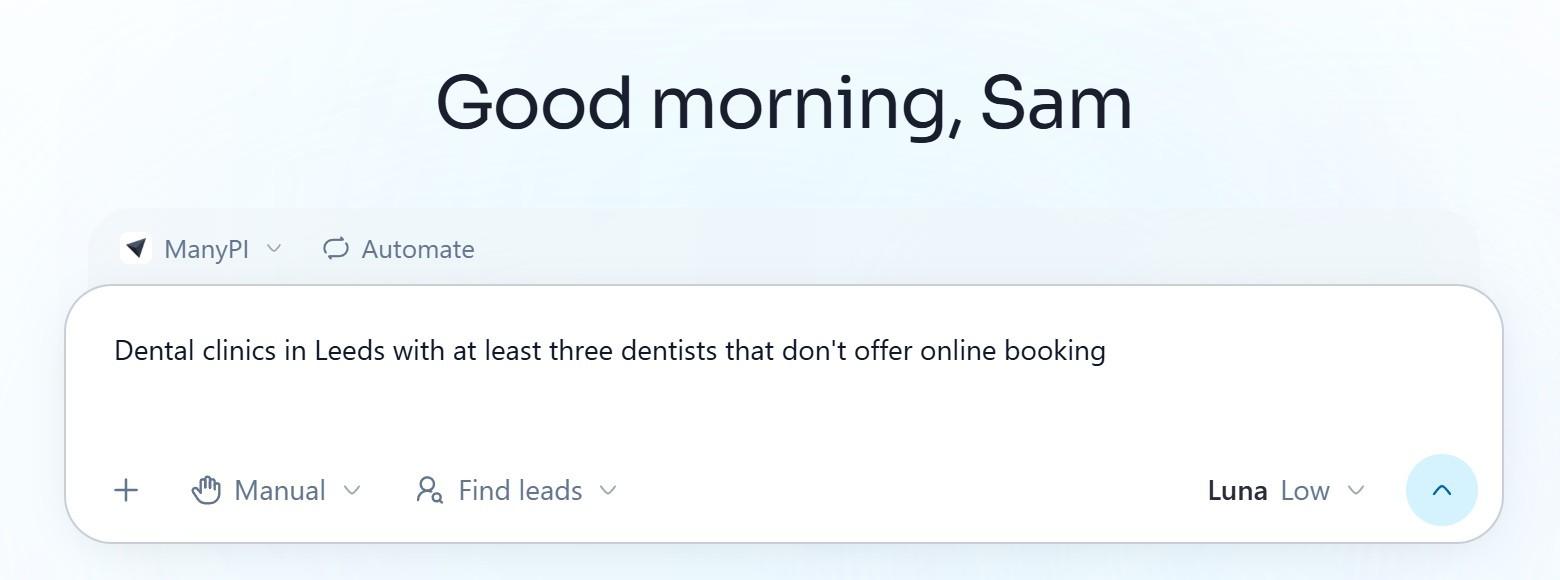
The buyer sentence from step 1, typed into the ManyPI agent.
The free plan finds up to 50 leads and checks 50 emails with no card. Sending campaigns starts on Starter at $25 a seat a month, or $21 billed yearly. Details are on the pricing page.
When going fast is the wrong move
Speed helps when the offer is clear and the market is large. It hurts in two cases.
If you can't explain in one line why a specific company should care, more leads will just give you more silence. Fix the message on 30 companies first.
If your whole market is a few hundred accounts, a fast blast spends them all on a rough first draft. Go slower there, research each account properly, and save the speed for markets where you can afford to learn by sending.
The fastest first step today: write the one-sentence buyer description, then check that 20 of the companies it produces are ones you'd genuinely want as customers. If they are, the rest of the list is a few hours of work.
Written by
Bastian W.
Content Manager / ManyPI