


TL;DR
The Framer alternatives for landing pages we found on Reddit, in r/framer and r/marketing. ManyPI is first, with ManyPI Sites for designed pages and forms that save every response as a lead. Google Sites, Notion, a Canva one-pager and your current site follow.
Build a landing pageA landing page earns its keep at the form. Framer makes beautiful pages, and as listed in November 2026 its free plan stays on a Framer domain, with a custom domain from $10 a month billed yearly. If you're a marketer shipping a page per campaign, the real question is what happens after someone clicks submit. These are the Framer alternatives for landing pages we found on Reddit, in r/framer and r/marketing, judged on two things: how much design control you keep, and whether a signup turns into a lead someone follows up.
The quick list
# | Option | Best for | Cost | Watch out for |
|---|---|---|---|---|
1 | Designed pages whose form answers land as leads you can email | Sites live from $15 a site a month; landing pages on paid plans from $25 a seat | Publishing needs a paid plan | |
2 | Google Sites with a Google Form | A free page for an internal or community campaign | Free with a Google account | Answers land in a form, not a lead list |
3 | Notion with a Notion form | Teams that already plan campaigns in Notion | Free on notion.site; own domain is a paid add-on | Looks like a document |
4 | A Canva one-pager | A launch or event page that has to look good today | Free on my.canva.site | Check how sign-ups are collected |
5 | A page on your current site | One more offer on a site you already run | Included in your site plan | Only as flexible as that site's editor |
1. ManyPI
ManyPI gives you two editors, and the job decides which one you open. For a campaign that needs design control, ManyPI Sites is a free-layout canvas with desktop, tablet and phone designed separately, components and effects, and an Agent that builds pages from a description. Start from a complete template and keep only the pages you need, or let the Agent lay out a page from one sentence. For a quick one-pager, the simpler landing page editor writes the page section by section while you watch.
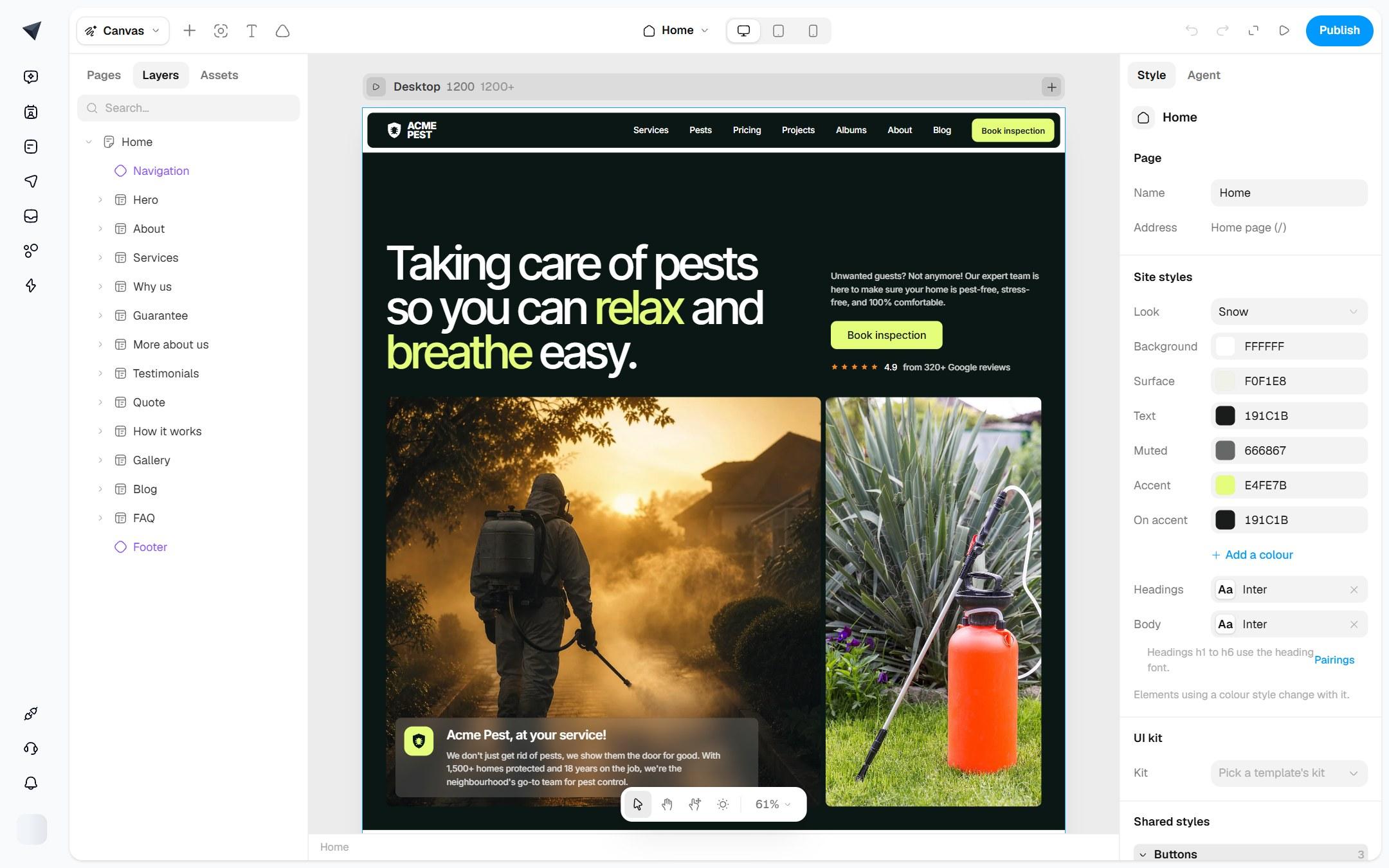
A pest control site from the Pest Hero template open in the ManyPI Sites editor, with a Book inspection button above the fold. Sample content.
The form is where it pulls ahead of a design tool. ManyPI forms ask one question at a time and can skip or score questions, sending hot leads straight to your booking link. Every response becomes a lead in the list you pick, deduplicated, with hidden fields and UTM tags saved on it, so you know which campaign it came from. From there a campaign can email them from your own inbox. Sending needs a paid plan.
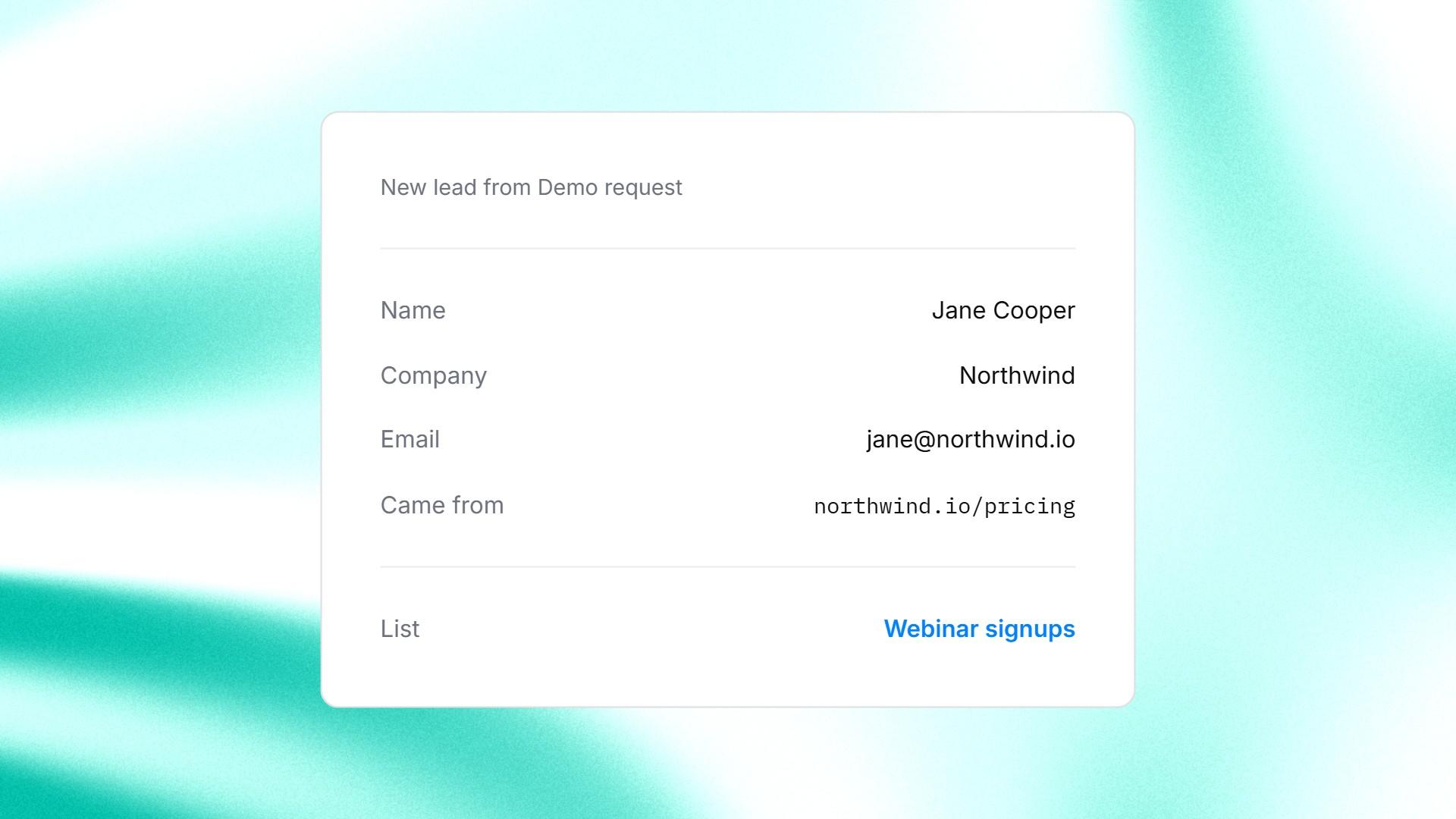
A form response saved as a lead in the Webinar signups list, with the page it came from.
On price, a site on ManyPI Sites goes live from $15 a month per site, with its own domain and 2,000 form responses a month. Simple landing pages ride the workspace plan: Starter, $25 a seat a month, publishes 5 at a time with 10,000 visits a month. You can build and preview either one on a free account before you pay.
2. Google Sites with a Google Form
The free route for a page that doesn't need to sell hard. You build the page from a theme and insert a Google Form into it, and responses collect in the form or a linked sheet.
That last part is the catch for marketing. A row in a sheet isn't a lead in a follow-up sequence, and the person who signed up on Monday waits until someone copies them over.
3. Notion with a Notion form
If campaign briefs already live in Notion, publish the page as a site and add a Notion form, whose answers land in a Notion database. Free sites sit on notion.site, and your own domain needs a paid plan plus an add-on, per Notion's Sites pricing.
The page will look like a Notion page. For a waitlist inside a community that's fine. For paid traffic, where design carries the conversion, it's a handicap.
4. A Canva one-pager
Canva is the fastest way from a campaign visual to a live page. Free users can publish up to five sites on my.canva.site with a Canva footer, and custom domains need Pro or Teams.
Plan the sign-up before you design. A page built from your launch graphics still needs somewhere for names and emails to go, and someone checking it.
5. A page on your current site
The cheapest landing page is often one more page on the website you already pay for. It's on your domain and inherits your tracking.
How well it works depends on that site. If adding a page means a ticket to a developer, campaign pages will ship late or not at all, and a separate tool you control pays for itself.
Trace the path from click to follow-up
Before you pick, trace one visitor from the ad to your inbox. The design is one step of five:
The click. Tag every link with UTM parameters so you know which campaign worked.
The page. One goal, one form, and a phone layout you've actually checked on a phone.
The form. Short, with logic if you need to qualify.
The lead. Saved somewhere with its source, not stuck in a spreadsheet.
The follow-up. An email or call within a day, while they still remember signing up.
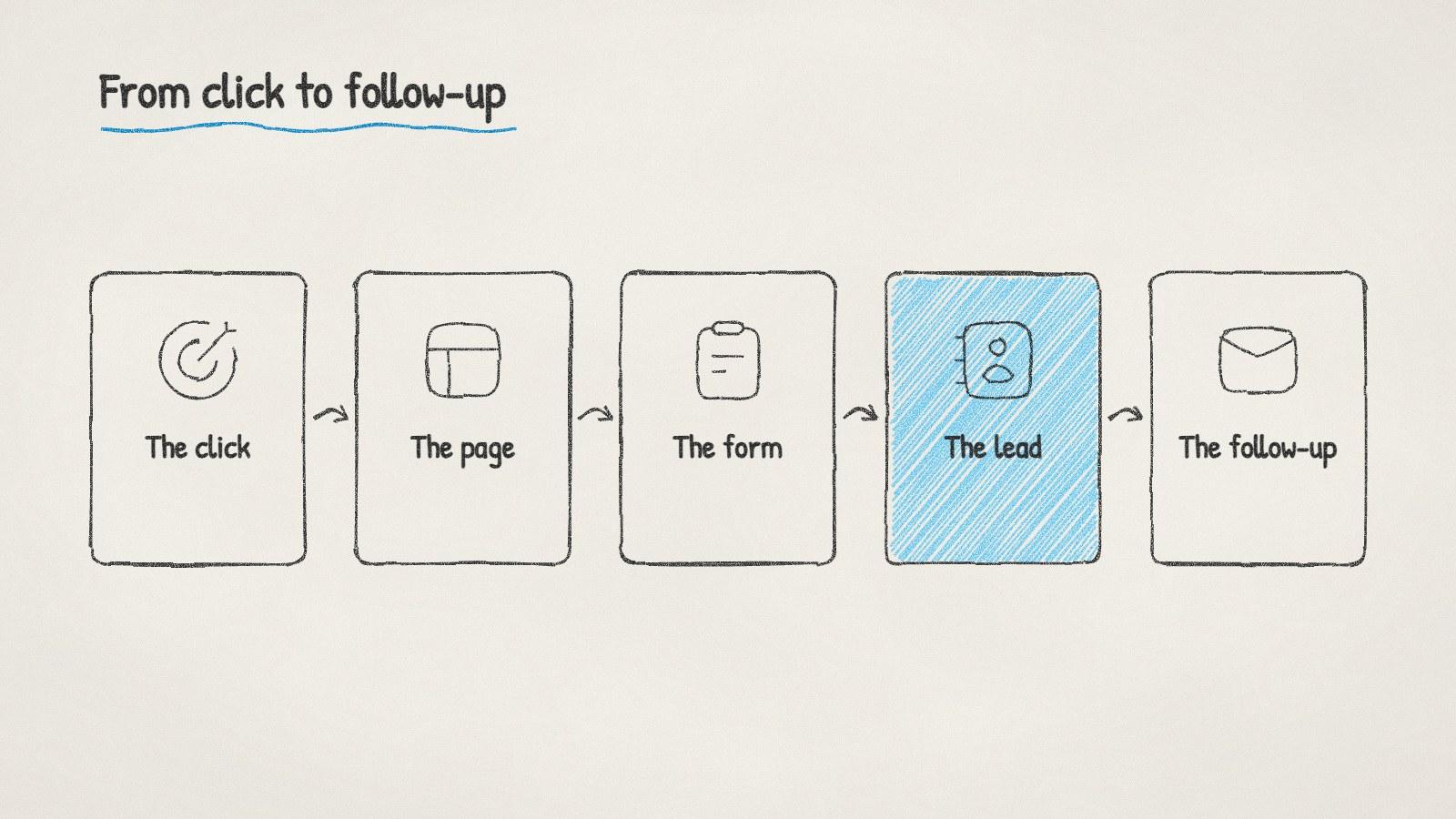
The path from a click to a follow-up, with the lead step marked.
Our guide to turning a lead capture form into an email campaign covers that last step in detail, and if you're coming from Framer for a whole site, see the free and cheap Framer alternatives.
Where to read more on Reddit
Subreddit | What it's about | What to search there |
|---|---|---|
r/framer | Framer users sharing sites and asking for help | landing page, forms, alternative |
r/marketing | Marketers of every stripe | landing page builder, conversion rate |
Submit your own form before the campaign goes out, then time how long it takes for that test lead to reach the person who'll follow up.
Written by
Bastian W.
Content Manager / ManyPI