


TL;DR
Give each answer points and send anyone whose total clears your threshold straight to your booking link. Everyone else gets a thank-you screen and a follow-up email. Four or five questions are usually enough.
Build a scoring formA lead qualification form with scoring gives each answer points and uses the total to decide what happens next. Leads above your threshold see your booking link straight away. Everyone else gets a thank-you screen and a follow-up email, so your calendar only fills with people worth the call.
You need four things to build one: a handful of questions that predict a sale, points for each answer, a threshold, and different endings for each score band. Here's how to set each one up.
What a lead qualification form with scoring does
Without scoring, every form response looks the same in your inbox, and someone has to read each one to decide who gets a call. With scoring, that decision happens in the form, the moment the visitor finishes. Hot leads book while they're still keen, and you spend your time on the calls that are likely to close.
Sales teams trade qualification questions in r/sales, and marketers in r/marketing argue about where to set the bar. The setup below works for most businesses that sell a service or software to other businesses.
Choose questions that predict a sale
Pick questions whose answers you'd act on. If an answer wouldn't change what you do with the lead, drop the question.
Question | Answers and example points |
|---|---|
How big is your team? | Just me 0, 2 to 10 5, 11 to 50 10, more than 50 10 |
When do you want to start? | This month 10, this quarter 5, just researching 0 |
Who decides on this? | I do 10, I recommend it 5, I'm researching for someone else 2 |
Do you have a budget set aside? | Yes 10, not yet 3 |
What do you need help with? | Choices, no points. Use it to pick the right follow-up |
The points are examples, not a formula. Weight them by what your best customers had in common when they first got in touch. If you score product usage as well, our post on weighting usage signals in lead scoring covers the other half.
Set the threshold
Score the last ten customers you'd happily clone as if they'd filled in the form. Their lowest total is a sensible first threshold. That's a rule of thumb: after your first few dozen responses, check who booked and who turned into a deal, then move the line.
With the example points above, the top score is 40. A decision maker with a budget who wants to start this month scores at least 30, whatever their team size. Someone researching for someone else, with no budget and no timeline, scores 15 at most.
Send each score band somewhere different
Score band | Ending | What happens next |
|---|---|---|
Hot | Your booking link | They pick a time on the spot |
Warm | Thank-you screen | A short follow-up email within a day |
Not yet | A useful resource | A guide or checklist, and a check-in later |
Not a fit | A polite thank-you | No sales follow-up, like job seekers or vendors |
For the booking link, you don't need a separate tool if you already use Google Calendar. Its appointment schedules give you a booking page you can link to, though some features need an eligible Workspace or Google One plan.
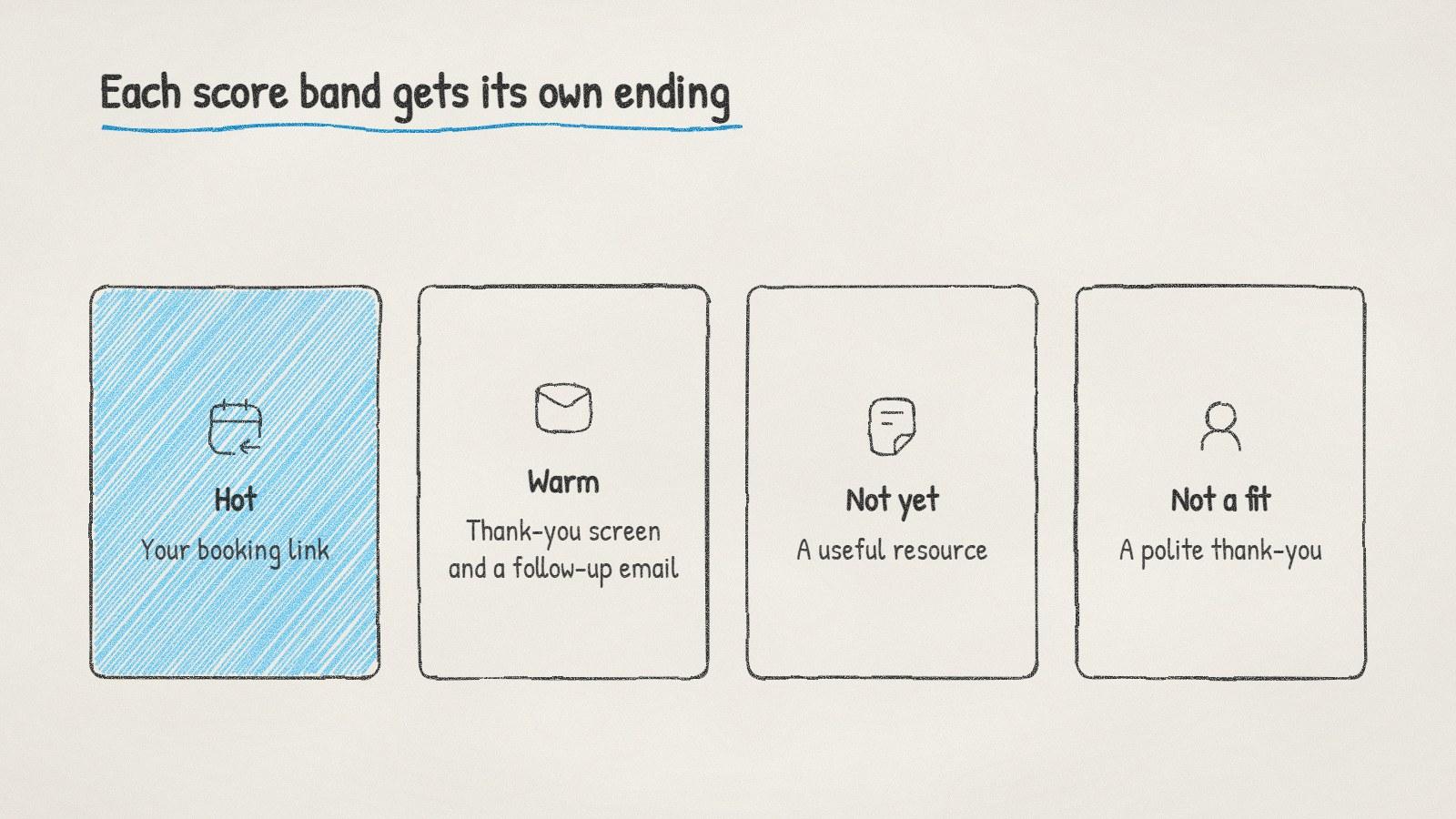
A lead qualification form scores each answer and sends each score band to its own ending.
Mistakes that make scoring useless
Too many questions. Every extra question loses some people before they ever see your booking link. Four or five is plenty.
Scoring what you can't act on. Points for "industry" don't help if you'd call every industry anyway.
Hiding the booking link from everyone. If almost nobody passes the threshold, it's set too high. Lower it and look at the calls you get.
Never revisiting the points. Your best customers change as your offer does. Recheck the weights every few months.
Doing it with ManyPI
Disclosure: ManyPI is our product.
ManyPI's lead forms have scoring and logic built in. You can score answers, branch and hide questions, set up multiple endings, and send hot leads to your booking link. Each form asks one question at a time, on a hosted link or embedded on your site. Every response becomes a lead in the list you pick, deduplicated, with the page it came from.
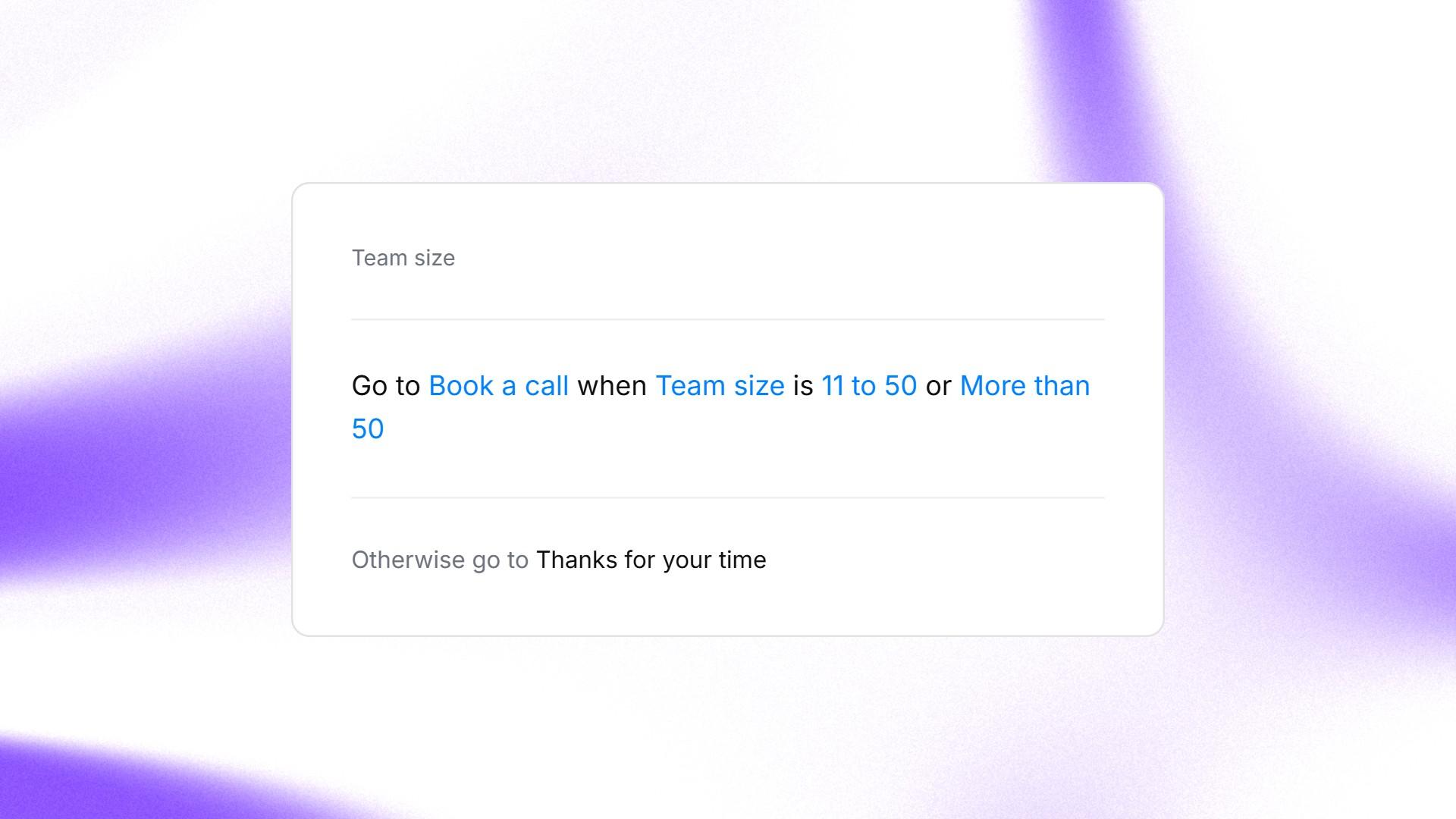
A logic rule in a ManyPI form: teams of 11 or more go to the booking ending, everyone else to the thank-you screen.
If you'd rather not start from scratch, the lead qualification form template is one of 143 ready-made forms. The free plan gives you 3 live forms and 10 responses a month, enough to test your questions. Starter, at $25 a seat a month or $21 billed yearly, raises that to 25 live forms and 2,500 responses a month. It also shows drop-off by question, which tells you which question is costing you leads.
Before the form goes live, fill it in twice yourself: once as your dream customer and once as someone you'd never call. If both land on the same ending, the points need another look.
Written by
Bastian W.
Content Manager / ManyPI