

An API key lets your own code, or a tool like Zapier, act in your workspace. Each key carries only the permissions you give it, and you can delete it at any time.
Create a key
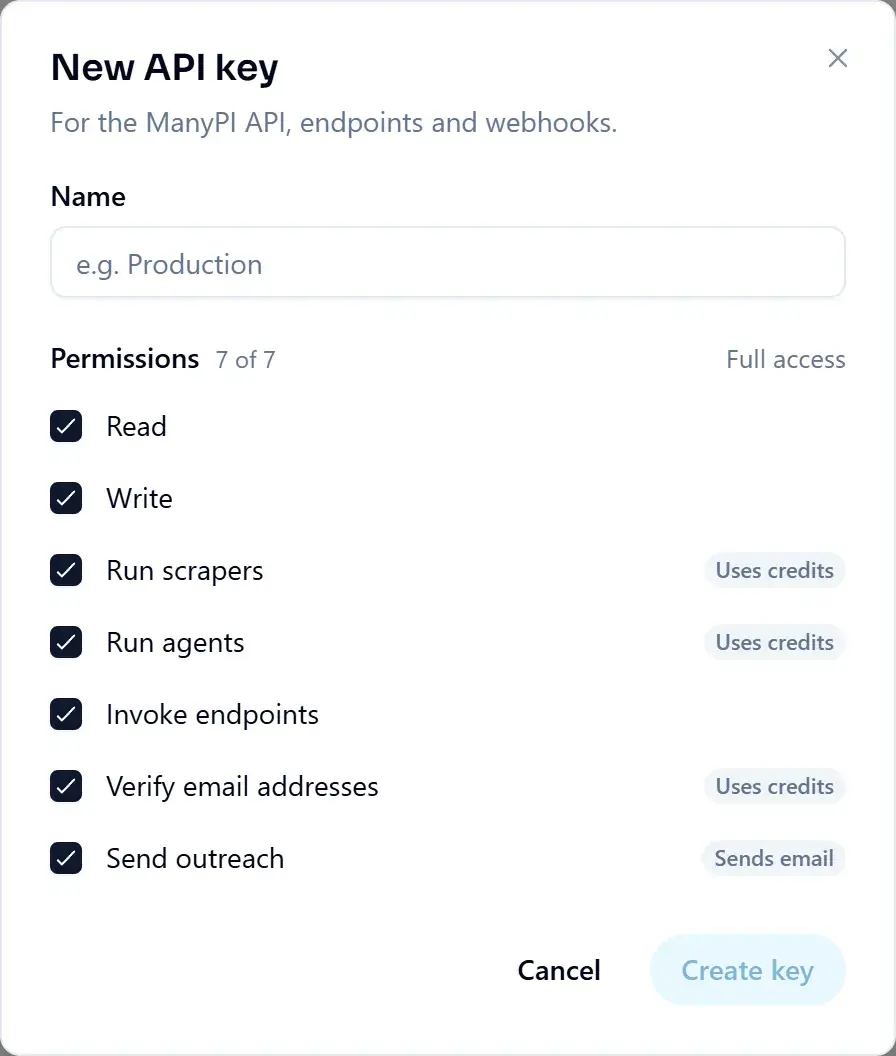
- 1Open API keys under Developers in the sidebar, then click New key.
- 2Name it after the system that will use it, so you know later which key to delete.
- 3Every permission starts ticked. Untick what this key doesn't need. The ones marked Uses credits or Sends email are the ones to think twice about.
- 4Click Create key and copy it immediately, the full key is shown once and never again.
- 5Store it in an environment variable, never in your repository.
Available scopes
- read
- View scrapers, runs, results, leads and usage. Read-only.
- write
- Create, update and delete scrapers, endpoints, folders and saved leads.
- scraper
- Start scrape runs and re-runs. Spends credits.
- agents
- Start agent runs, answer their questions, cancel them. Spends credits.
- endpoints:invoke
- Call your published endpoints. Required by any REST client.
- leads:validate
- Verify lead email addresses. Spends validation credits.
- outreach:send
- Send mail from your inboxes and enroll leads. Grant only to systems you trust.
Using a key
HTTP
Authorization: Bearer mpi_your_api_keyKeeping keys tidy
The list shows each key by the start and last four characters of its value, what it may do, when it was created and when it was last used. Delete a key with the bin icon.
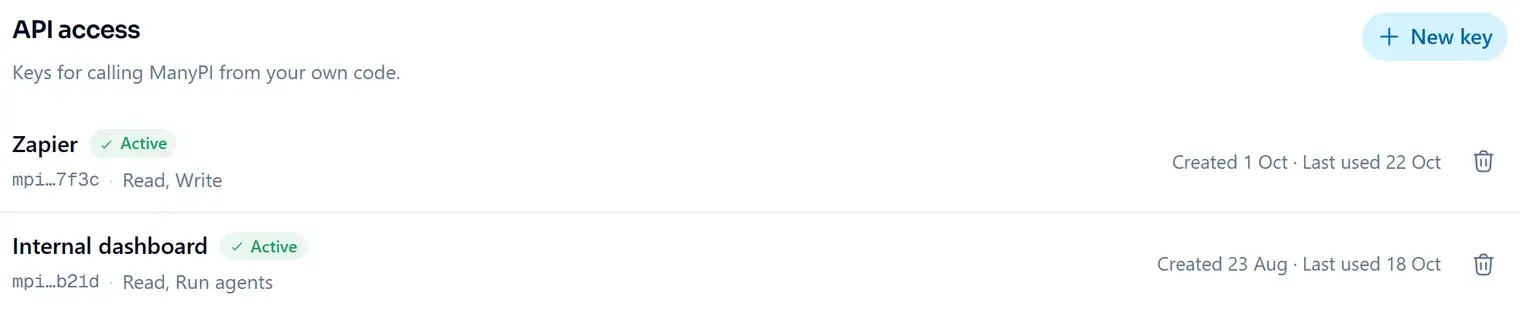
Keys show their creation date and last-used timestamp, so an unused key is easy to spot and revoke. Revoking takes effect immediately.
Did this answer your question?
More in API & developers