

A sequence is the set of emails. A campaign points a sequence at an audience, an inbox and a schedule.
How steps work
- Step 0 goes out when a lead is enrolled.
- Every later step waits a set number of days after the previous one.
- Steps set to reply mode thread underneath the first email instead of starting a new one.
- A campaign stops for a lead the moment they reply.
Merge variables
Bodies are simple HTML, paragraphs, line breaks, bold and links. Campaigns run on business-hour schedules so mail lands when people read it.
Preview before you launch
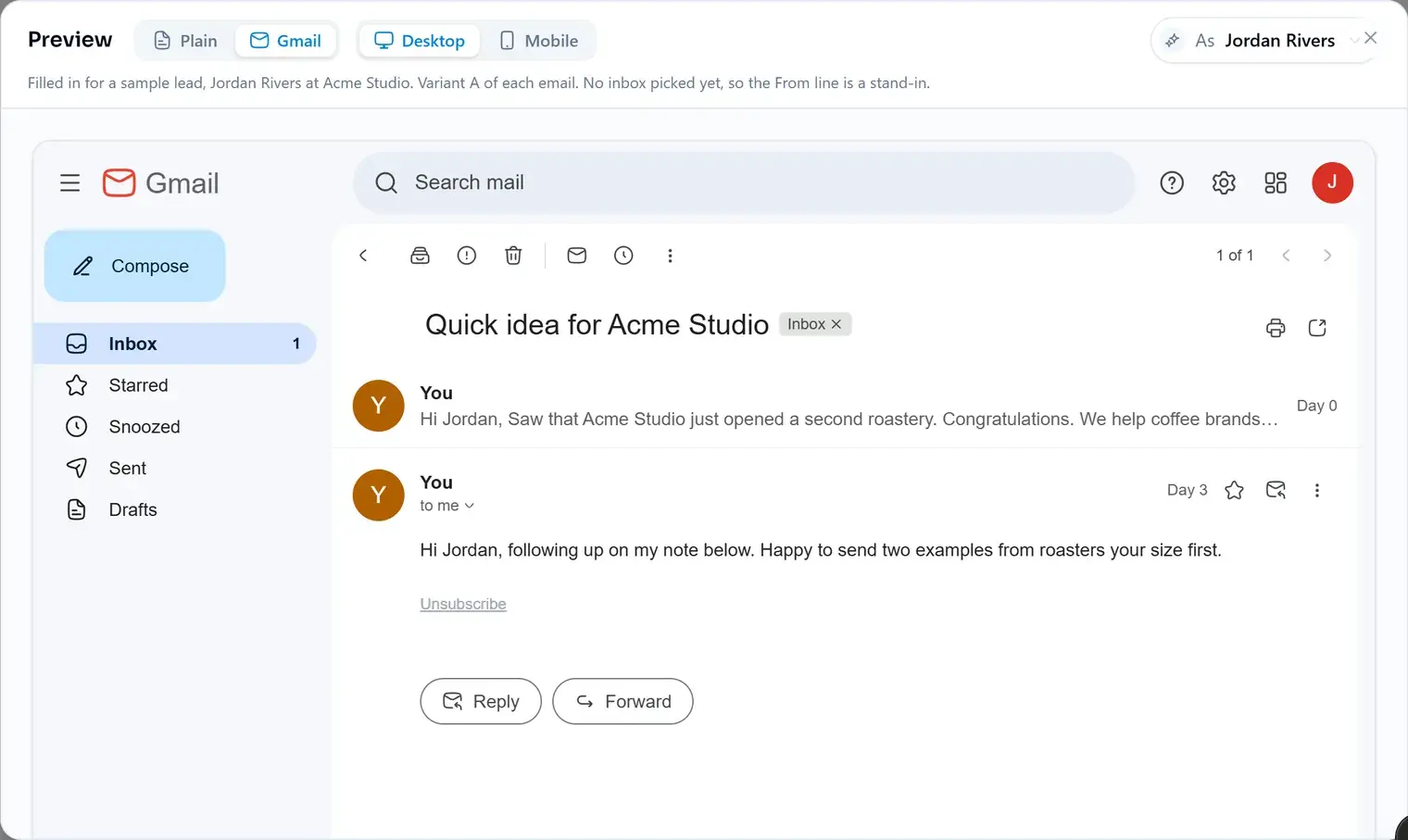
The preview shows every email the way a lead will get it. Plain shows each variable by name, so you can check the wording. Gmail draws the thread as it lands in an inbox, filled in for a sample lead or for one of the campaign's own leads, picked under As. Switch between Desktop and Mobile to see both.
Before you launch
- Connect at least one sending inbox and give the campaign its inboxes.
- Verify the addresses you enrolled, so the first send doesn't bounce.
- Preview the sequence as a few real leads: a missing first name or company is easy to spot there.
- Keep the first email short. The follow-ups can carry the detail.
- Emails per seat per month
- 10,000 on Starter · 100,000 on Pro · 500,000 on Business
- Free plan
- Build inboxes, sequences and campaigns, upgrade to send
Did this answer your question?