

ManyPI sends from your mailboxes. Nothing goes out from a shared ManyPI domain, so your replies, your threading and your reputation all stay yours.
Connect an inbox
- 1Open Outreach, then Email accounts, and add an inbox.
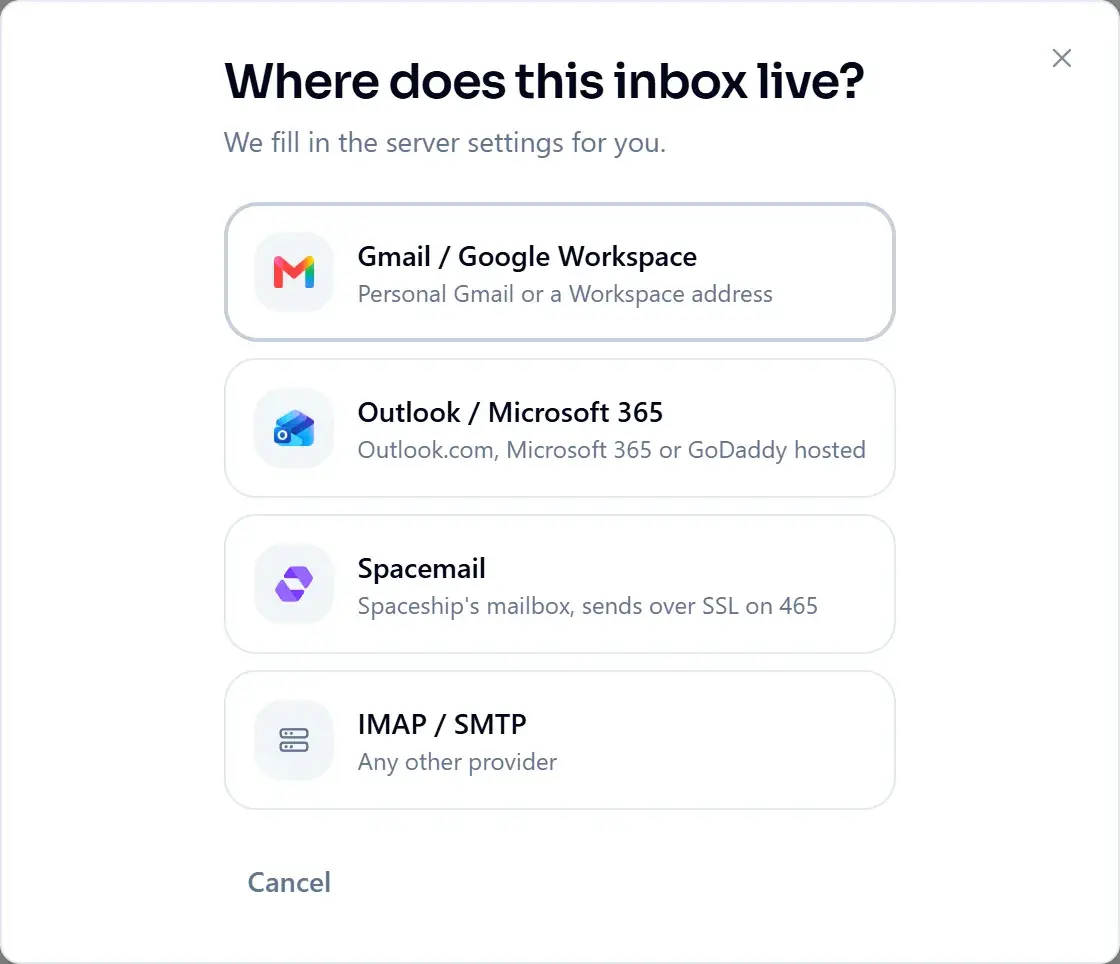
- 2Pick where it lives: Gmail / Google Workspace, Outlook / Microsoft 365, Spacemail, or IMAP / SMTP for any other provider. ManyPI fills in the server settings for you.
- 3Sign in with Google or Microsoft where that is offered, or paste an app password.
- 4Send a test message to confirm the connection works both ways: SMTP for sending, IMAP for reading replies and detecting bounces.
- 5Add a signature, then let warmup run before you push real volume through it.
App passwords
Gmail and Outlook don't accept your normal password from other programs. Create a separate 16-character app password in your Google or Microsoft account and paste that. Spacemail uses the mailbox's own password. Other providers usually take the mailbox password too; a few want an app password instead, so check their help pages if it is rejected.
- Inboxes
- 1 on Free · unlimited on every paid plan
- Why several
- Spreading volume across inboxes protects deliverability
If it doesn't connect
- Password rejected on Gmail or Outlook: it needs an app password, not the one you sign in with.
- Sends work but no replies show up: IMAP has to be switched on for the mailbox. ManyPI reads replies and bounces over IMAP.
- Sending from your own domain: set up SPF, DKIM and DMARC before you send. See Deliverability, warmup and bounce protection.
Did this answer your question?