


TL;DR
Find out which list it is and whether it's blocking mail. Fix the cause first, then use that list's own removal process. The big lists remove you for free, and SpamCop expires on its own.
Verify your list before you resendA blocklist alert feels like an emergency, but most listings are temporary, and every major list publishes how to get off it. Today's job is working out which list you're on and whether it's actually stopping your mail. Then you fix the cause and ask for removal, in that order. Blocklist alerts come up regularly in r/sysadmin and r/msp.
First, check whether it's costing you deliveries
Lists vary a lot in how widely they're used. The quickest test is your bounces: a listing that's blocking mail shows up in bounce messages, often with the list named in the text. A listing on an obscure list with no bounces behind it can wait a day. A listing that's bouncing mail to prospects right now can't.
Run your domain and your sending IP through a multi-list checker, such as MXToolbox's blacklist check, and through Spamhaus's own lookup. Write down every list that comes back.
Domain listing or IP listing?
The two need different fixes, and one of them may not be yours to fix.
Type | What's listed | Examples | Whose job it is |
|---|---|---|---|
Domain list | Your domain, as it appears in the From address and in links | Spamhaus DBL | Yours |
IP list | The server address your mail leaves from | Spamhaus SBL, Barracuda, SpamCop | Yours if you run the server. Your provider's if you send through Google Workspace or Microsoft 365 |
If you send through a big provider and an IP listing shows up, it's their shared IP, and their team handles it. A domain listing is always yours.
Fix the cause before you ask for removal
A sender who keeps doing what got them listed tends to get listed again, and Spamhaus warns that "excessive removers" may be blocked from its removal form. Before you submit anything:
Pause campaigns from the listed domain or IP.
Find what changed. A new list source, a bought list, a jump in daily volume, or a new tool sending as your domain.
Check for a compromised account or website. For listings caused by hacked sites, Spamhaus's FAQ recommends removing infected files, updating the CMS and plugins, and changing passwords with two-factor authentication.
Verify the rest of your list. Old and guessed addresses are a common reason a sender's reputation drops. Our guide to a cold email bounce rate that's too high covers the clean-up.
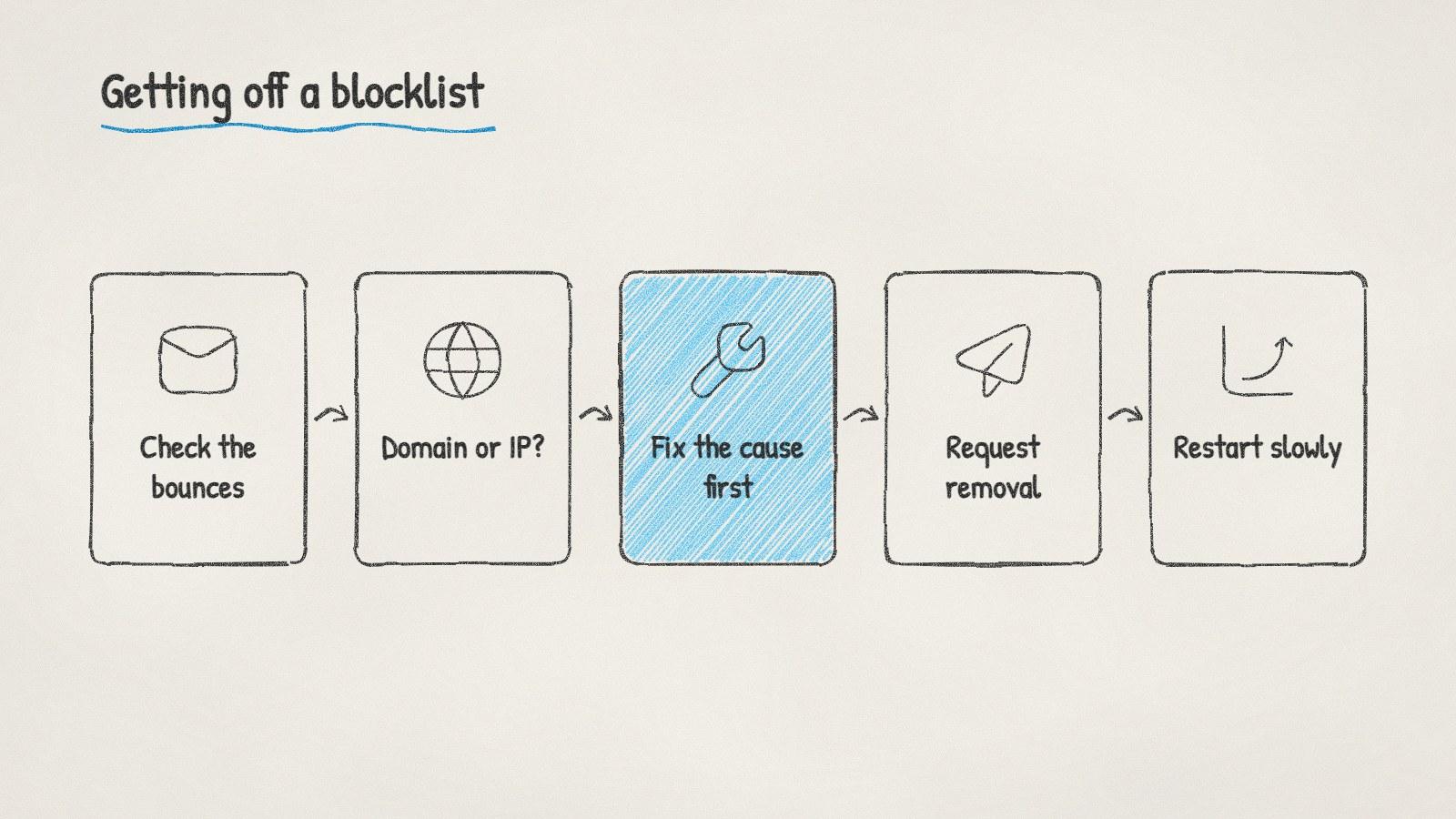
The order that gets a listing removed and keeps it removed.
How to get off the main lists
List | How removal works | Worth knowing |
|---|---|---|
Spamhaus (DBL, SBL and others) | Look up the domain or IP at check.spamhaus.org and follow the instructions it returns | Free. Approved removals take effect at once, though some resolvers take up to 24 hours. Spamhaus says any paid removal offer is a scam |
Barracuda | Fill in the removal request form with the IP, your email, phone number and a reason | Free to submit |
SpamCop | There's no form. SpamCop delists an IP automatically after 24 hours with no new spam reports | Delisting can take up to 4 more hours to reach every mirror |
Microsoft 365 | Bounces with 550 5.7.606 to 649 go through the delist portal. A 5.7.511 bounce goes to delist@microsoft.com | Microsoft says portal removals can take 24 hours or longer |
Outlook rejections that mention authentication rather than a list are a different problem. Our guide to the 550 5.7.515 error covers those.
Restart without landing back on a list
Send only to addresses that came back valid when you verified them.
Start at a lower daily volume than before and build back up over a week or two.
Make opting out easy. Google's sender guidelines ask senders to keep the spam rate reported in Postmaster Tools below 0.10%.
Check bounces after every batch, not at the end of the week.
If complaints are behind the listing, the targeting needs work too. Our guide to cold emails going to spam goes through the four usual causes.
Doing it with ManyPI
Disclosure: ManyPI is our product.
ManyPI checks every address against the receiving mail server before a campaign can use it, so guessed and dead addresses never reach a send. Each connected inbox shows its domain's SPF, DKIM, DMARC and MX checks, sends are paced across the day under a daily cap, and bounce protection pauses an inbox on its own when bounces pass the limit you set. The email verification page explains the checks.
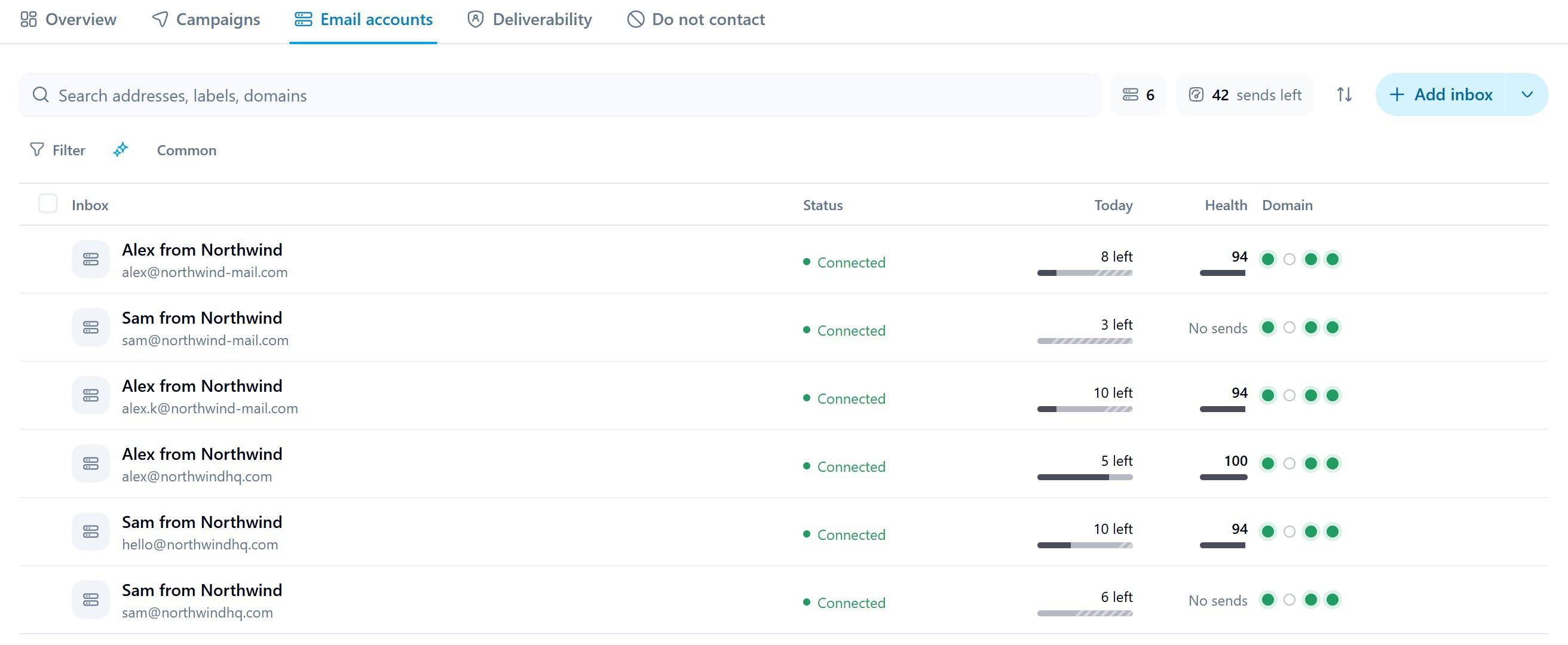
Every connected inbox in ManyPI with its sending allowance, health score and domain checks. Sample data.
One thing not to pay for: delisting services. The lists above remove you for free when the cause is fixed, and Spamhaus calls paid removal offers a scam.
Written by
Ole Mai
Founder / ManyPI