


TL;DR
Reddit's cold email threads in r/coldemail keep recommending the same five ways to warm up a new domain. ManyPI's automatic sending ramp is first on our list. Real conversations first, authentication before anything, a slow manual ramp and Google Postmaster Tools follow.
Send with a built-in rampA new domain that sends hundreds of cold emails on day one goes to spam. Every Reddit thread on cold email deliverability agrees on that much. What you do instead, in the first few weeks, is where the five common methods come in. Most people combine several. ManyPI is first here because its sending ramp handles the volume side for you. These are the warmup methods we found on Reddit, mostly in r/coldemail and r/Emailmarketing.
The quick list
# | Method | What it does | Effort | Watch out for |
|---|---|---|---|---|
1 | ManyPI's sending ramp | Raises each inbox's daily volume gradually, automatically | None after setup | It's a ramp, not a warmup network |
2 | Real conversations first | Builds a history of normal, two-way email | Medium | Hard to do at scale |
3 | Authentication before anything | SPF, DKIM and DMARC so providers trust your domain | An hour, once | Skipping it undoes everything else |
4 | A slow manual ramp | You raise volume by hand on a schedule | High | Easy to rush when you're busy |
5 | Google Postmaster Tools | Shows how Gmail sees your domain | Low | Needs volume before it shows data |
1. ManyPI's sending ramp
The most common warmup mistake is impatience: a new inbox sends 300 emails in its first week. ManyPI prevents that. Each inbox you connect starts at a low daily volume, and the volume rises only on days the inbox met its goal. However you set it up, a single inbox never sends more than 60 emails a day, so the safe way to send more is to connect more inboxes.
To be clear about what it is: ManyPI's warmup is a sending ramp on your real campaigns. It doesn't exchange warmup emails with a network of other inboxes. Every address is checked against the receiving mail server before it's emailed, and bounce protection pauses an inbox before a bad list can hurt it. Paid plans connect unlimited inboxes, from $25 a seat a month. The cold email outreach page shows how sending works, and a free account lets you look around first.
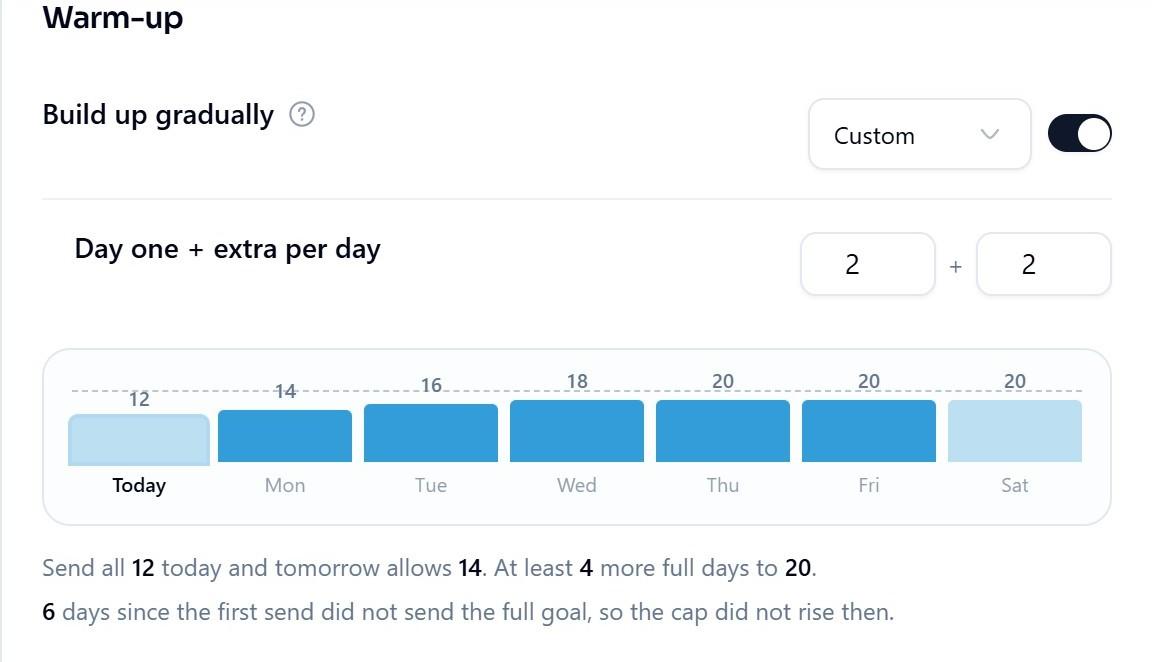
An inbox warming up in ManyPI. The daily cap only rises after a day that sent its full goal.
2. Real conversations first
Mailbox providers look at how people interact with your email. A new domain that only sends one-way cold email looks different from one that sends and receives normal mail.
So before a campaign, use the inbox for real. Email colleagues and customers who'll reply. Sign up for a few newsletters you actually read. A couple of weeks of ordinary two-way email gives the domain a history that isn't all cold outreach.
3. Authentication before anything
This one isn't optional, and every warmup thread mentions it. Set up three DNS records before the first email:
Record | What it does |
|---|---|
SPF | Lists the servers allowed to send for your domain |
DKIM | Signs each email so receivers can check it wasn't altered |
DMARC | Tells receivers what to do with mail that fails the checks |
Google's sender guidelines require these for bulk senders, and they help every sender. Our step-by-step guide to setting up a domain for cold email covers each record.
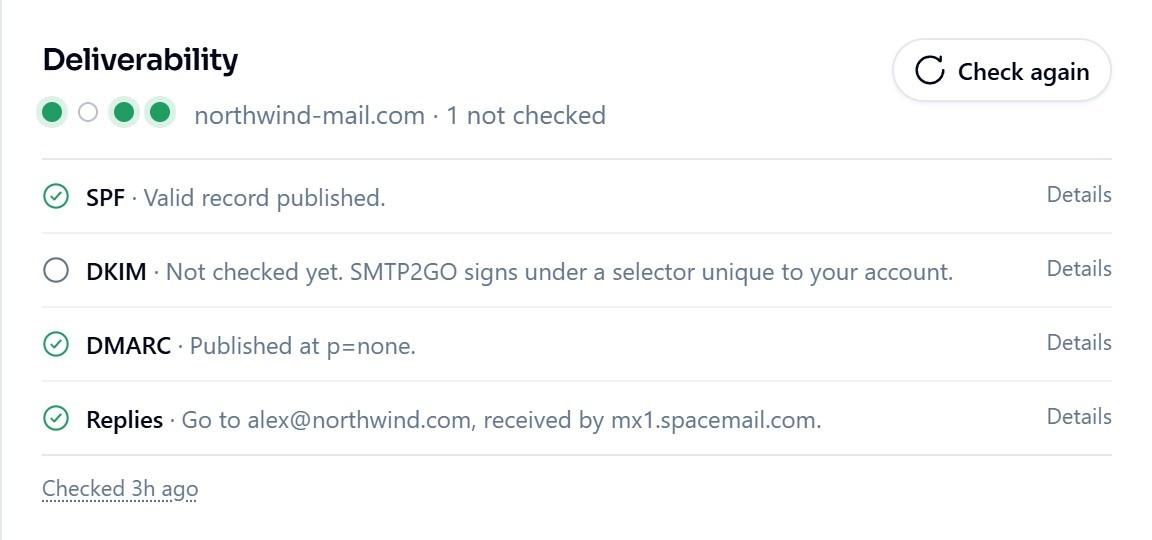
ManyPI's deliverability checks on a connected inbox, shown here with sample data.
4. A slow manual ramp
Without a tool, you ramp by hand. Start with a small number of emails a day per inbox and add a few more every couple of days, watching bounces and replies. A common starting point is around 10 to 20 a day in week one, rising over three to four weeks. That's a working rule, not a published limit.
It works. The trouble is discipline. When a campaign is ready and the pipeline is empty, it's tempting to skip ahead, and that's when domains get burned. Our post on how long to warm up a new domain has a fuller schedule.
5. Google Postmaster Tools
Google Postmaster Tools shows how Gmail sees your domain, including its spam rate. It's free, and it's the closest thing to a deliverability report card for mail going to Gmail users.
It only shows data once you send enough email to Gmail addresses, so it's more useful in week four than week one. Check it weekly once you're sending. A rising spam rate is the signal to slow down and look at your list and your copy.
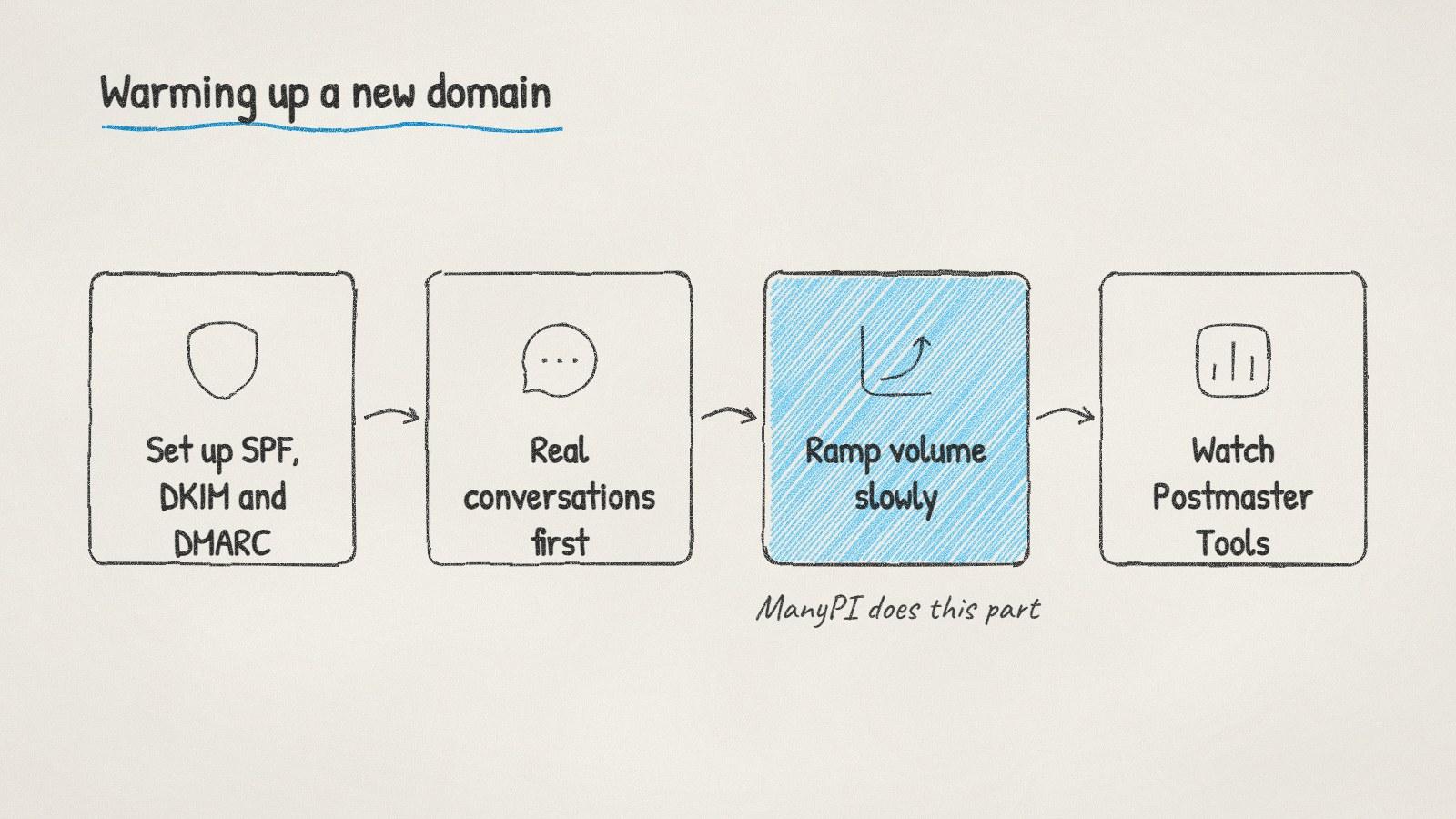
Warming up a new domain, in the order to do it.
Signs your warmup isn't working
Bounce rate climbing. Usually a list problem, not a warmup problem. Check addresses before sending.
Replies drop to zero overnight. Emails may be landing in spam. Pause and test.
Spam complaints rising. Google asks senders to stay below 0.3%. Shorter sequences and better targeting help.
If you've already burned a domain, our guide to cold emails going to spam walks through the recovery. The cheapest fix is still the boring one: send less, and send it to better lists.
Written by
Bastian W.
Content Manager / ManyPI