

Bring leads in from a spreadsheet, rows copied out of another tool, or one at a time. Imported leads are worked exactly like the ones the agent finds: verified, enrolled, exported.
Start an import
- 1Open Leads and click Import leads, or drag a file straight onto the page.
- 2Pick how the leads come in: Upload a spreadsheet, Paste rows copied from Excel, Sheets or Airtable, or Add one lead by hand.
- 3A Google Sheets link works too, and if you are leaving Instantly, Apollo, lemlist or a similar tool, Switch from brings everything over with one key instead.
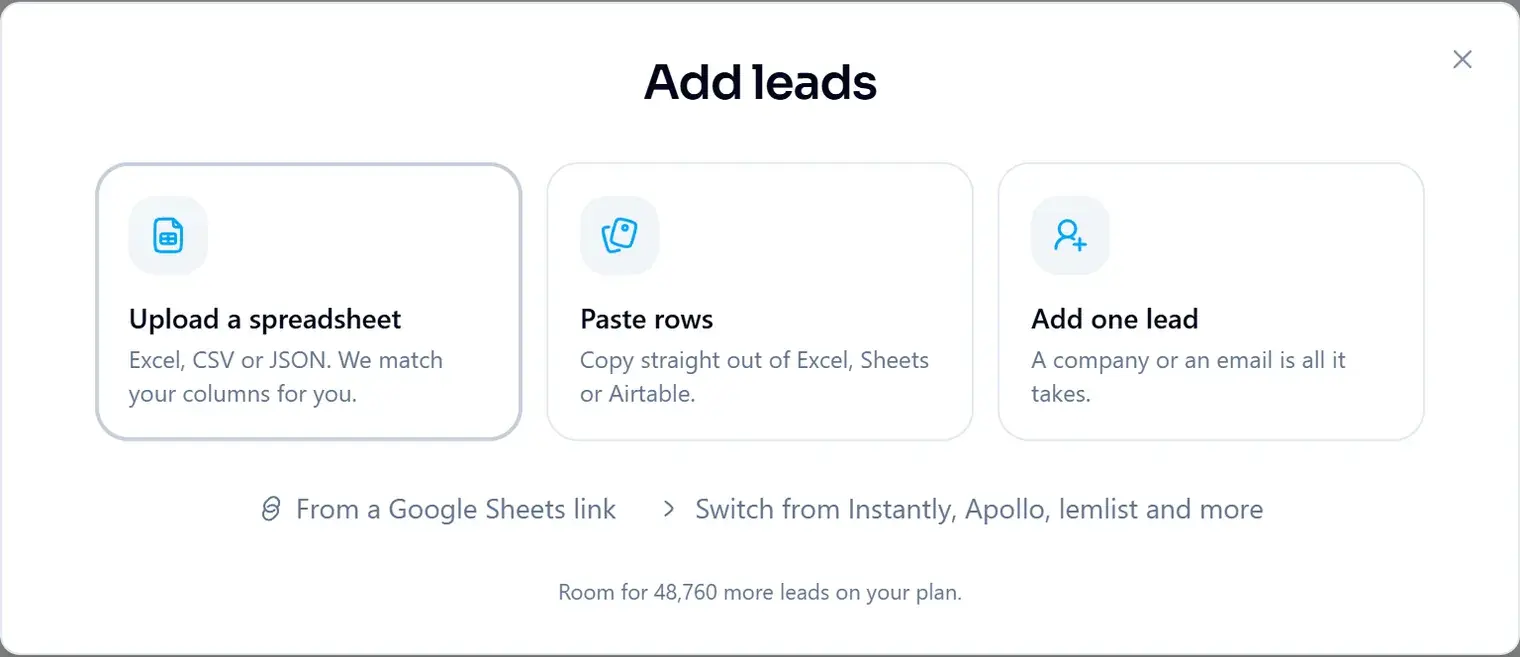
The bottom of the window says how many more leads fit on your plan, so you know before you start whether the whole file will go in.
Check the columns
ManyPI reads the header row and a few values from each column, then matches each column to a lead field: name, email, company, job title, website, location, LinkedIn and so on. Each column shows its sample values on the left and the field it maps to on the right.
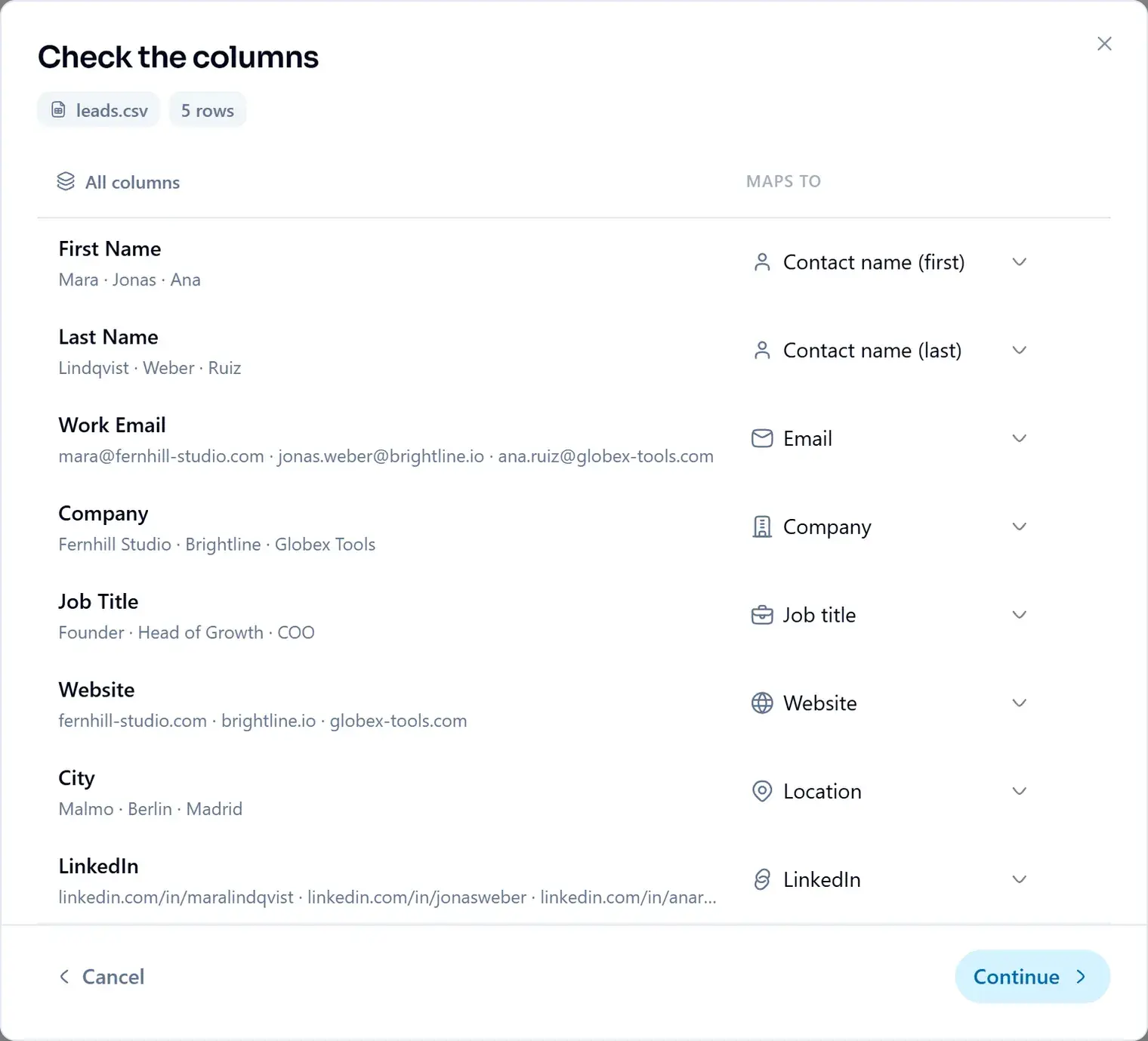
- Change a match with the menu on the right of the column.
- First and last name columns become one name on the lead.
- Columns that match no standard field can be kept as custom columns, on Starter and up, up to 60 per workspace.
Choose rows and duplicates
The last step asks two things: which rows to bring in, and what to do with a lead that is already in ManyPI.
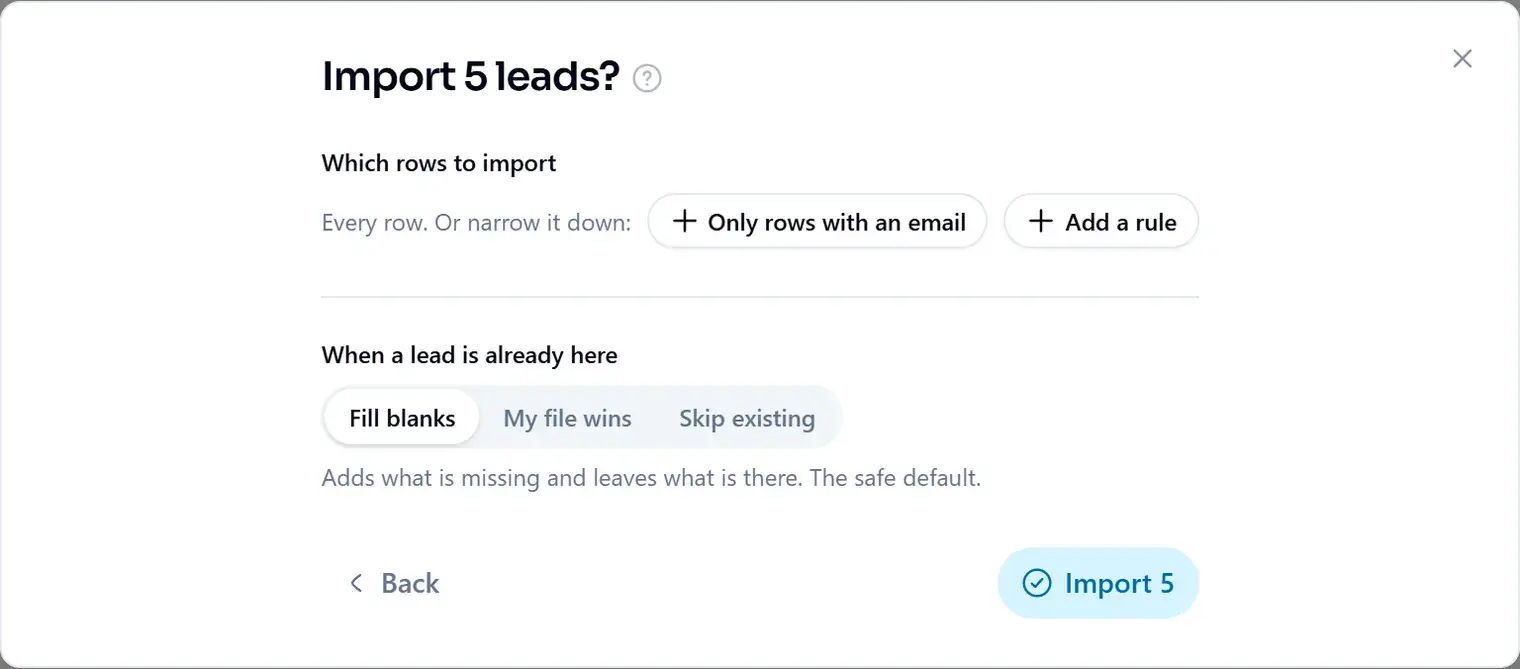
- Fill blanks
- Adds what is missing and leaves what is there. The safe default.
- My file wins
- Overwrites the lead's fields with the file's.
- Skip existing
- Only adds leads that are new.
To bring in fewer rows, pick Only rows with an email or Add a rule before you import.
Limits
- File types
- CSV, TSV, JSON and Excel
- Per import
- Up to 25 MB and 10,000 rows. Split a bigger file and import it in parts.
Imported leads land as Active and count toward your stored-lead cap like any other lead.
Verify imported addresses before you email them. Bought and inherited lists are the single most common cause of a wrecked sending reputation.
Common problems
- A column landed in the wrong field. Open the menu next to it and pick the right one before you continue.
- The import stopped short. It has reached your plan's lead limit, or the file has more than 10,000 rows. Split the file, or make room first.
- Leads appear twice. They only would if the email differs. Pick Fill blanks or Skip existing so a lead already here is matched, not added again.
Did this answer your question?