

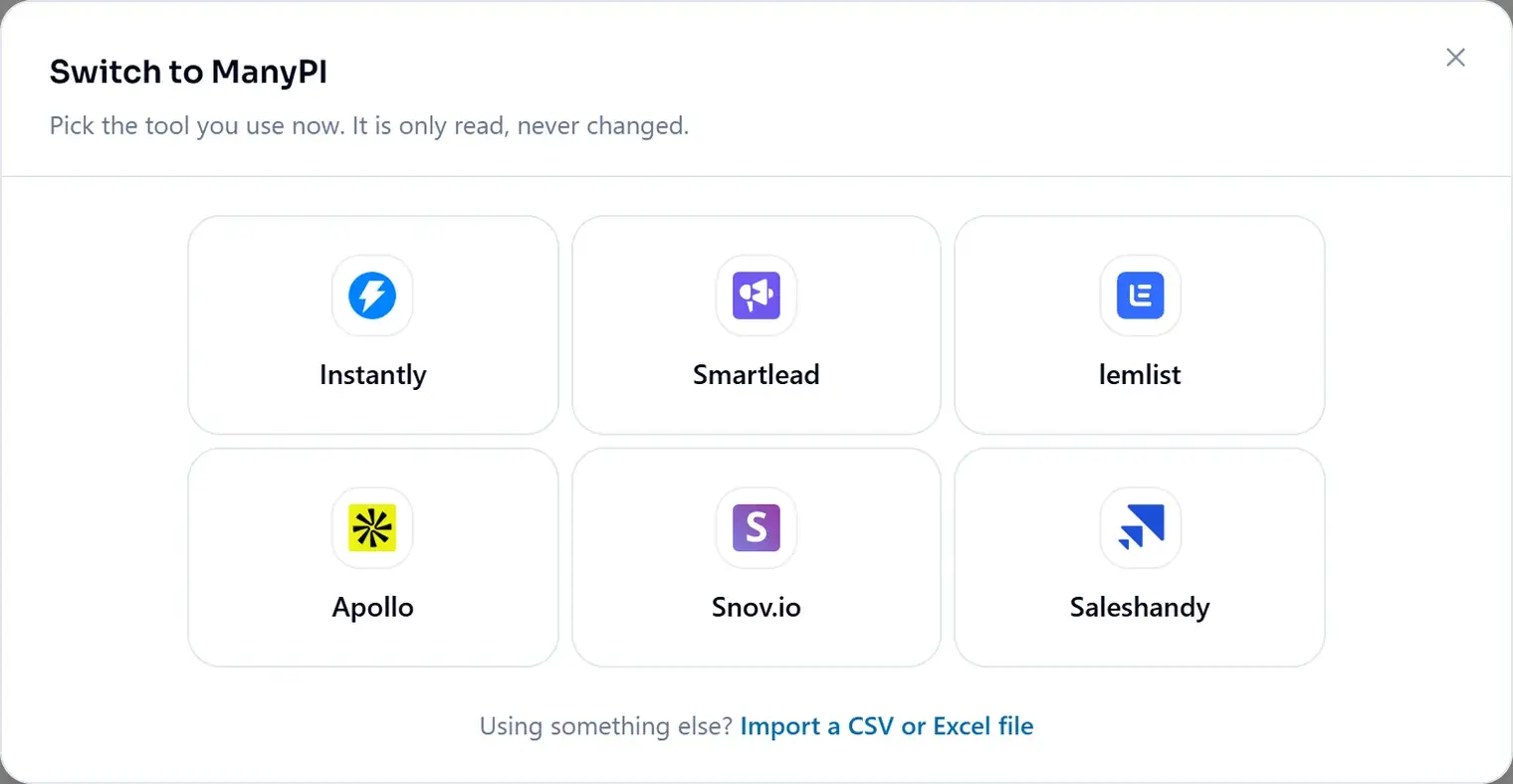
Moving from Instantly, Smartlead, lemlist, Apollo, Snov.io or Saleshandy? There is nothing to export. ManyPI reads your account with one API key and rebuilds what it finds. Your old tool is only read, never changed.
Start the switch
- 1Open Integrations in the sidebar and click Start switching. Add leads in the leads table has the same entry.
- 2Pick the tool you use now.
Paste your key
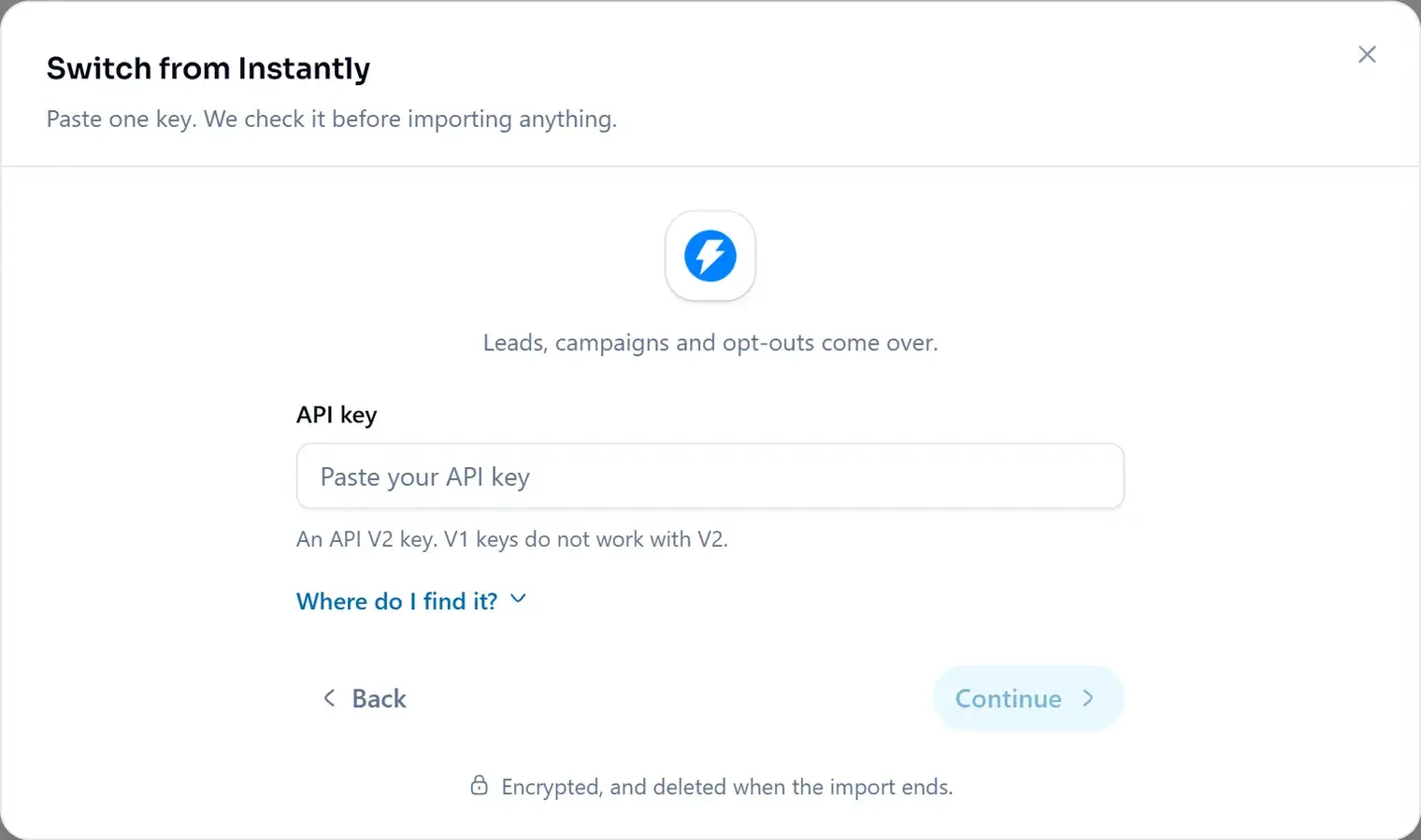
Paste one API key. ManyPI checks it before importing anything, keeps it encrypted, and deletes it when the import ends. Where do I find it? under the field shows the exact menus in your old tool.
Pick what comes over
ManyPI shows what it found: campaigns, leads, do-not-contact addresses and mailboxes. Everything starts ticked. Untick what should stay behind, then click Start importing.
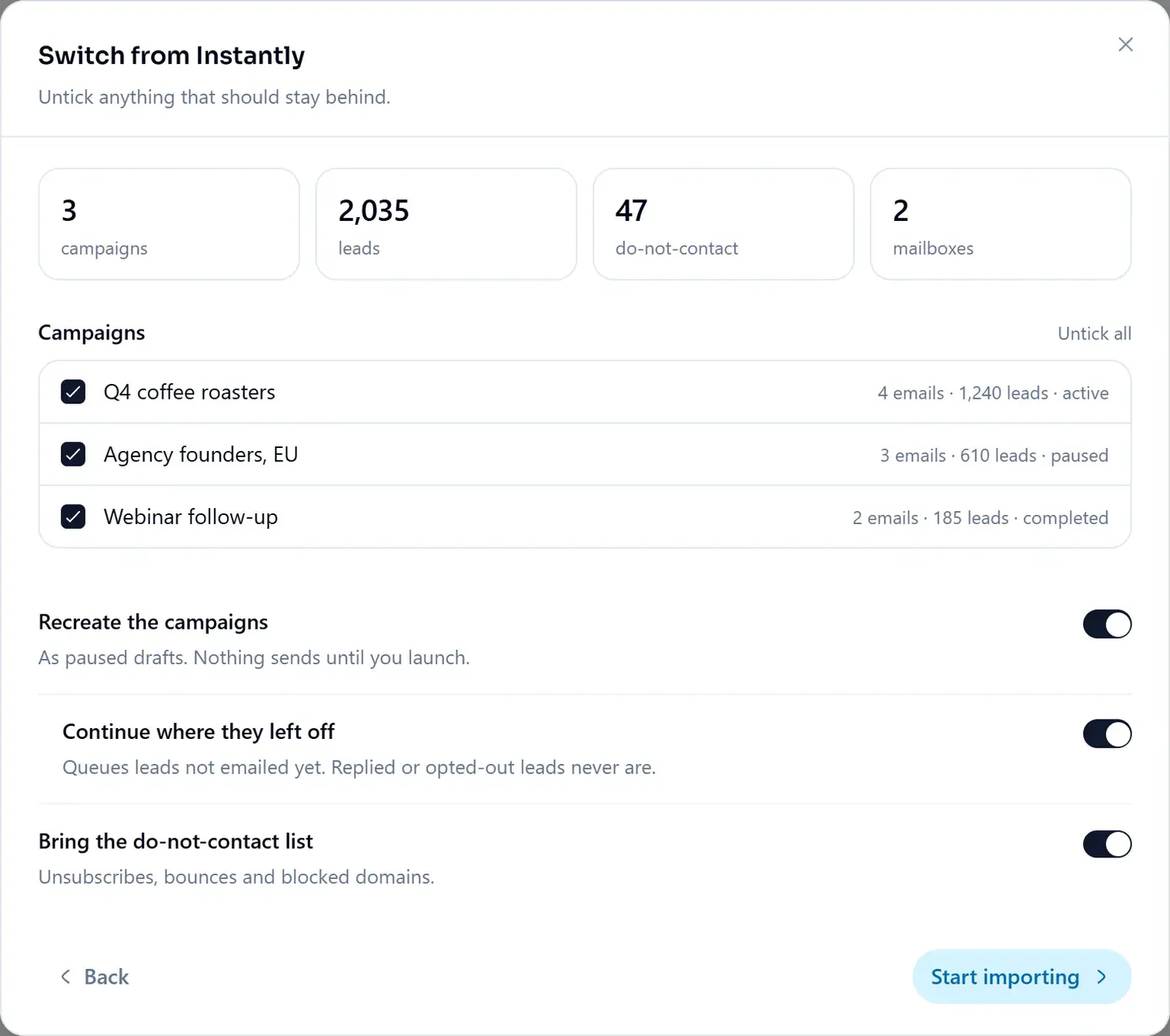
- Recreate the campaigns
- As paused drafts. Nothing sends until you launch.
- Continue where they left off
- Queues leads not emailed yet. Replied or opted-out leads never are.
- Bring the do-not-contact list
- Unsubscribes, bounces and blocked domains.
While it runs
- You can close the window. The import keeps going: opt-outs first, then campaigns, then leads.
- One run brings up to 100,000 leads, within your plan's lead limit. Run it again for the rest; leads already in ManyPI are merged, not added twice.
- Common merge tags are rewritten for you:
{{firstName}}becomes{{first_name}}and{{companyName}}becomes{{company}}.
After the import
- 1Review the paused drafts. Anything that didn't translate is listed under Worth a look.
- 2Connect your sending inboxes under Email accounts. Passwords never leave your old tool, so each one is connected once.
- 3Set each inbox's sending ramp, then launch.
Sending needs a paid plan. Using Clay, Hunter, Lusha or ZoomInfo? Export a CSV there and import it instead. There is a step-by-step guide for each tool at manypi.com/migrate.
Did this answer your question?